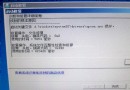
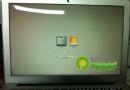
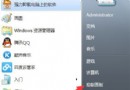
現象
開機動畫「四顆小光球」不出現、或出現一半凍結,無法進入登入畫面。
急救步驟
- 進 BIOS → 嘗試 關閉 ACPI (Advanced → ACPI Configuration → Disabled) → 存檔重開機測試。
- 若無效:用 WinPE 或 Win 7 安裝光碟「修復電腦」→ 命令提示字元進入系統分區。
- 備份原
Windows\System32\winload.exe。
- 從 Windows 7 Beta 7000 安裝盤 提取
winload.exe 複製覆蓋 (實測此版相容性最佳,藍屏/卡住機率最低)。
- 重開機 → 應可正常進入 Windows 7。
適用場景
- 舊主機板 BIOS ACPI 實作不完整與 Win 7 RTM winload.exe 衝突。
- 升級安裝/多重開機導致開機載入器版本不匹配。
注意
替換核心載入器屬高風險操作,務必先備份原檔,確認 Beta 7000 版 winload.exe 來源可信 (建議從官方 Beta ISO 內提取)。