現象:點擊「檢查更新」提示 「Windows Update 目前無法檢查更新,因為服務未運行,您可能需要重新啟動電腦」,但 services.msc 中 Windows Update 服務顯示「已啟動」,重啟服務無效。根因通常是 C:\Windows\SoftwareDistribution 目錄損毀或遺失(常因磁碟清理誤刪)。本文提供標準修復指令碼,無需重開機即時生效。
net stop wuauserv
cd %windir%
ren SoftwareDistribution SDold
net start wuauserv
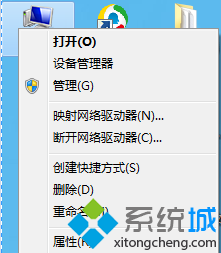
cmd → 右鍵「命令提示字元」→ 「以系統管理員身分執行」。net stop wuauserv:停止 Windows Update 服務,釋放目錄鎖定。ren SoftwareDistribution SDold:將舊目錄重命名備份,強制系統重建全新的 SoftwareDistribution 目錄結構(含 Download、DataStore 等子目錄)。net start wuauserv:重啟服務,新目錄即時生效。此法保留了更新歷史記錄(在 SDold 中),且無需重開機,是修復此類問題的標準最佳實踐。
sfc /scannow 修復系統檔案完整性。Win8 開始畫面關機按鈕如何隱藏?登錄新建 Launcher_ShowPowerButtonOnStartScreen
Win7 開啟內建 Administrator 超級管理員帳號:取得最高權限、刪除系統檔不再受阻
Win7 資料夾右鍵選單出現亂碼?控制台語言設定或登錄修正 ANSI/OEM 字碼頁
Win7 C 槽爆滿三招瘦身:壓縮休眠檔、調整虛擬記憶體、壓縮 WinSxS 元件儲存
Windows 7 關閉智慧排列 (Aero Snap) 功能:登錄表修改 WindowArrangementActive=0