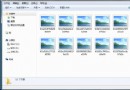
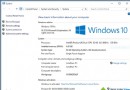
升級安裝/重裝保留舊系統時產生 `C:\Windows.old` 或 `$WINDOWS.old`,佔用數 GB~數十 GB,**無法直接右鍵刪除** (權限/系統檔案保護/Explorer 崩潰)。
@echo off
rd /s /q C:\Windows.old
:: 或 rd /s /q C:\$WINDOWS.OLD
pause
rd /s /q C:\Windows.oldrd /s /q C:\$WINDOWS.OLD**`rd /s /q` + 管理員 CMD** 是刪除 `Windows.old` 最標準、最乾淨、無殘留的系統級方案,批次檔封裝後可一鍵分享給不懂命令列的朋友。
ViStart:讓 Windows XP 擁有 Windows 7 Aero 開始選單與搜尋
Windows 7 關閉 GUI 開機畫面(無 GUI 引導)設定
Windows 7 找不到快速啟動列?其實已合併到工作列,拖曳捷徑到開始按鈕旁即可實現
Win7 任務列顯示「電腦」圖示並直接開啟電腦視窗的設定技巧
Win7 命令提示字元結束指定程序:tasklist 查詢 PID、taskkill /IM 或 /PID 強制結束
Win7 開啟 CPU 儀表板小工具:即時監控 CPU 使用率與記憶體,對比工作管理員效能數據
Win7 工作列跳出「無法連線 Windows 服務」?重置 Winsock 修復 System Event Notification Service