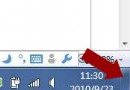
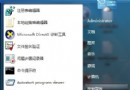
以系統管理員身分執行命令提示字元:
netsh int tcp set global autotuninglevel=disabled
重開機後 MSN 不再頻繁自動離線。
Win7 引入 TCP AutoTuning (接收視窗自動調整),理論上動態優化網路吞吐量。但實際環境中,配合第三方網卡驅動/路由器/防火牆/ISP 設備,常導致視窗縮放震盪、封包丟失、連線中斷,表現為 MSN、舊版遊戲、特定 VPN 客戶端頻繁掉線。
netsh int tcp show global 觀察 Receive Window Auto-Tuning Level。netsh int tcp set global autotuninglevel=normal。除 MSN 外,同樣適用於 Windows Live Mail、舊版 Outlook Express、特定企業 VPN 客戶端、早期線上遊戲在 Win7 上的掉線問題。