Win7 無法開機提示 BCD 引導錯誤,可在 WinPE 下執行 BAT 腳本重建引導項。
修復BCD引導.bat(假設系統在 C 槽,否則修改 partition=C:):path C:\Windows\system32
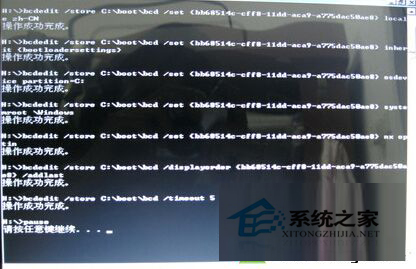
bcdedit /store C:\boot\bcd /create {bb68514c-cff8-11dd-aca9-a775dac50ae8} /d "Microsoft Windows 7" /application osloader
bcdedit /store C:\boot\bcd /set {bb68514c-cff8-11dd-aca9-a775dac50ae8} device partition=C:
bcdedit /store C:\boot\bcd /set {bb68514c-cff8-11dd-aca9-a775dac50ae8} path \Windows\system32\winload.exe
bcdedit /store C:\boot\bcd /set {bb68514c-cff8-11dd-aca9-a775dac50ae8} locale zh-CN
bcdedit /store C:\boot\bcd /set {bb68514c-cff8-11dd-aca9-a775dac50ae8} inherit {bootloadersettings}
bcdedit /store C:\boot\bcd /set {bb68514c-cff8-11dd-aca9-a775dac50ae8} osdevice partition=C:
bcdedit /store C:\boot\bcd /set {bb68514c-cff8-11dd-aca9-a775dac50ae8} systemroot \Windows
bcdedit /store C:\boot\bcd /set {bb68514c-cff8-11dd-aca9-a775dac50ae8} nx optin
bcdedit /store C:\boot\bcd /displayorder {bb68514c-cff8-11dd-aca9-a775dac50ae8} /addlast
bcdedit /store C:\boot\bcd /timeout 5
pause
腳本可保留備用,同類引導損壞通用。亦可搭配 DiskGenius 重建 MBR 雙重保險。