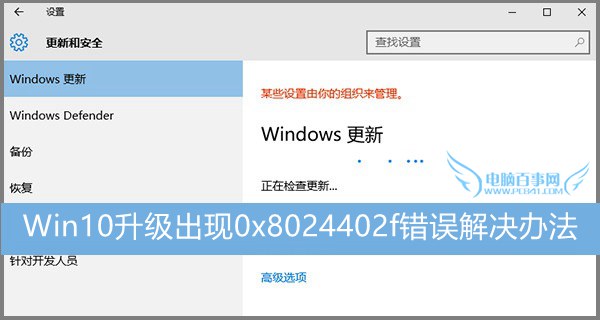
Windows 10 採強制自動更新機制,使用者常遇到 0x8024402f 更新錯誤。微軟社區提供一組命令列指令,可重置更新服務相關登錄與 DLL 註冊,解決網路連線層面導致的更新失敗。
cmd → Ctrl+Shift+Enter)。net stop CryptSvc
ren %windir%\system32\catroot2 catroot2.old
net start CryptSvc
net stop wuauserv
regsvr32 wuapi.dll /s
regsvr32 wups.dll /s
regsvr32 wuaueng.dll /s
regsvr32 wucltui.dll /s
regsvr32 wuweb.dll /s
regsvr32 msxml.dll /s
regsvr32 msxml2.dll /s
regsvr32 msxml3.dll /s
regsvr32 urlmon.dll /s
net start wuauserv
regsvr32 softpub.dll /s
regsvr32 initpki.dll /s
regsvr32 mssip32.dll /s
regsvr32 wintrust.dll /s
regsvr32 dssenh.dll /s
regsvr32 rsaenh.dll /s
regsvr32 gpkcsp.dll /s
regsvr32 sccbase.dll /s
regsvr32 slbcsp.dll /s
regsvr32 cryptdlg.dll /s
regsvr32 jscript.dll /s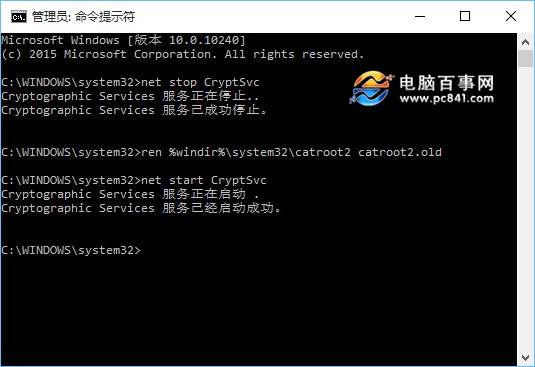
此指令組合本質為重置 Windows Update 服務、重新註冊核心 DLL 並重建 Catroot2 資料夾,對網路連線、服務狀態異常導致的更新錯誤極為有效。