Windows XP Windows 7 Windows 2003 Windows Vista Windows 綜合教學 Linux 系統教學
Windows 10 Windows 8 Windows 2008 Windows NT Windows Server 電腦軟體教學

Win10 寬帶連線錯誤 651 解決:檢查實體線路/Modem 燈號 → 連絡 ISP 處理外部線路/設備故障

編輯:Win10 系統應用技巧

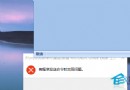
錯誤 651 表「使用者端與 ISP 設備連線不通」,常見原因與排查:

  1. 實體線路: 重新插拔 Modem、網路線、電話線,確認本地連線正常(無紅叉)。

本地連線狀態

  1. Modem 燈號: ADSL(同步燈)與 PWR(電源燈)必須恆亮,LAN 閃爍為正常;ADSL/PWR 不亮表外部線路或 ISP 端故障。
  2. 聯繫 ISP: 電信 10000、聯通 10010、鐵通 10050 轉人工回報「錯誤 651」,ISP 維護中會告知,否則安排人員上門檢修。

多數 651 為外部線路/設備問題,自行檢查線路與燈號後需仰賴 ISP 處理。

Copyright © Windows教程網 All Rights Reserved