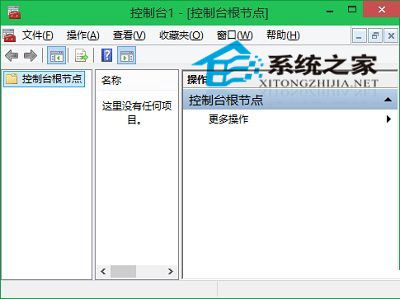
MMC (mmc.exe) 是所有管理工具的統一底層平台,Win10 中開啟方式:
瀏覽至 C:\Windows\System32\mmc.exe 雙擊執行。
C:\Windows\System32\mmc.exe
mmc
開啟後可「檔案」→「新增/移除嵌入式管理單元」載入裝置管理員、磁碟管理、服務等工具,並另存為 .msc 檔便利下次使用。許多系統工具均可透過「執行」指令快速啟動(如 devmgmt.msc、diskmgmt.msc、services.msc),熟記常用指令大幅提升管理效率。
.msc
devmgmt.msc
diskmgmt.msc
services.msc
Win10 自訂檔案總管開啟目標:取消「快速存取」改為「這台電腦」
Win10 建立修復磁碟機失敗怎麼辦?檢查系統、清除 USB 空間、確保啟用狀態
Win10 安裝 QQ 必裝 6.4 以上版本:官網下載最新版即可正常使用
Windows 10 變更 IE 快取資料夾位置釋放系統碟空間教學
Win 10 移除內建微軟拼音輸入法教學:新增英文鍵盤後即可刪除
Windows 10十大隱藏特性:後台滾動、多顯示器獨立縮放、存儲感知
解決 Win10 WMI Provider Host (WmiPrvSE.exe) 佔用高 CPU 問題
Win10 將輸入法預設為英文的設定步驟