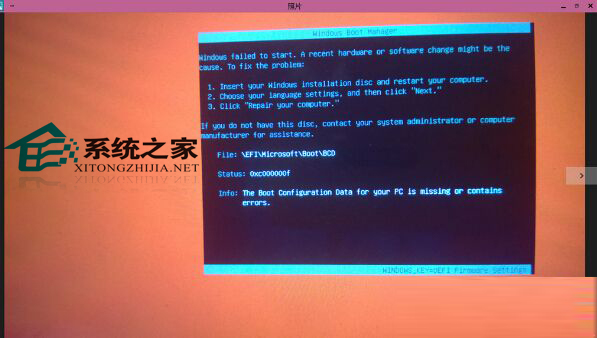
在 Win10 環境嘗試用備份 Win8.1 的隨身碟還原系統,卻出現 0xc000000f 錯誤。主因為 UEFI 安全啟動 阻擋舊版開機載入器。解法:關閉 Secure Boot。
0xc000000f
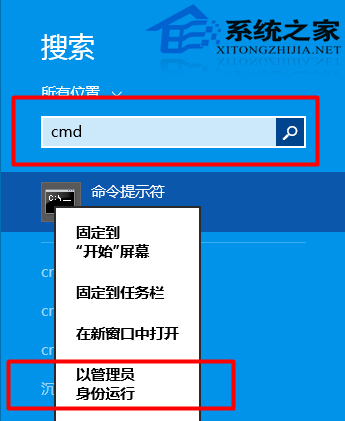
Reagentc /boottore
重新開機後即可正常使用 Win8.1 還原隨身碟。操作前請確認隨身碟為 UEFI 開機格式。
Win10 工作排程器提示「任務物件版本不支援或無效」怎麼修?登錄表修正 command 鍵值
Win7/Win8.1 升級 Win10 正式版常見問題大全:未收到推送、錯誤代碼、驅動衝突、應用閃退彙總
Win10 360 優化後麥克風無聲音?將揚聲器格式改為 16 位錄音室音質
Win 10 PowerShell 批量建立資料夾:mkdir $(1..10 | %{"IThome$_"}) 一鍵生成編號資料夾
Win10 QQ 點擊連結仍用 QQ 瀏覽器開啟?設定系統預設瀏覽器強制覆蓋
Win10 安裝不了 WP 修復工具怎麼解決?
Win10 通知中心三種清除訊息技巧大公開
Win10 10061 人脈 App 閃退臨時修復:刪除 contacts.txt 中間內容保留首尾行