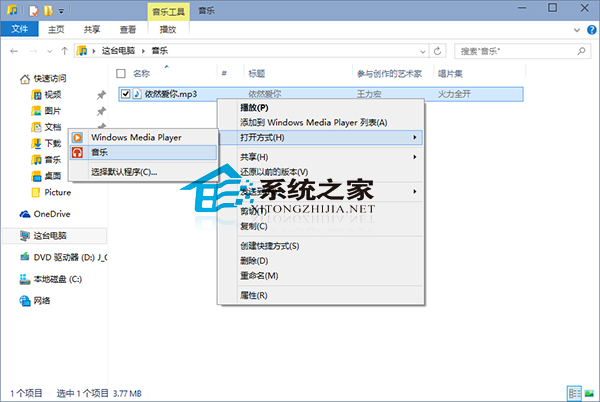
Windows 10 新版「音樂」應用程式取代 WMP 開啟音訊檔。若仍用 WMP 如何改回?
不喜歡內建音樂應用程式,可使用相容 Windows 10 的第三方音樂軟體。
Win10 系統優化 7 大關鍵設定:告別預設值,打造順手環境
Win10 應用商店「裝置數量達上限」錯誤解決:微軟帳號管理移除不需裝置,上限 10 台
Windows 10 系統還原功能修復系統故障完整教學
Win10 註冊 OCX 檔案報錯 0x80040200?以管理員權限執行 regsvr32 即可解決
Win 10 應用商店視窗化改全螢幕:左上角選單一鍵切換
Win10 開啟設定/應用程式商店提示 explorer.exe 找不到元素?切換開始選單/畫面模式解決
Win10 設定印表機共用:控制台→裝置和印表機→右鍵印表機→印表機屬性→共用分頁→勾選共用
Windows 10 清除開始功能表磚塊個人資訊:保護隱私一鍵淨化