Xbox 應用程式登入時出現錯誤 0x800488AB,提示前往 Xbox.com 登入,但實際操作無效。真正解決方法極簡單:
解決步驟
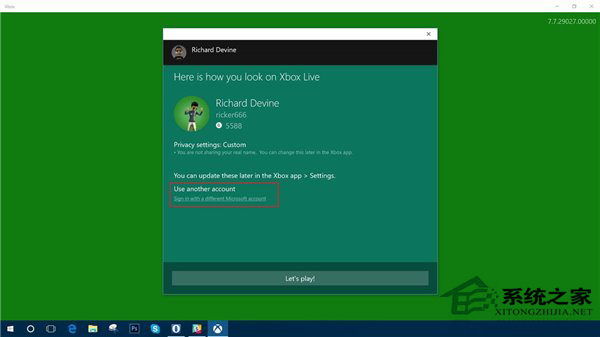
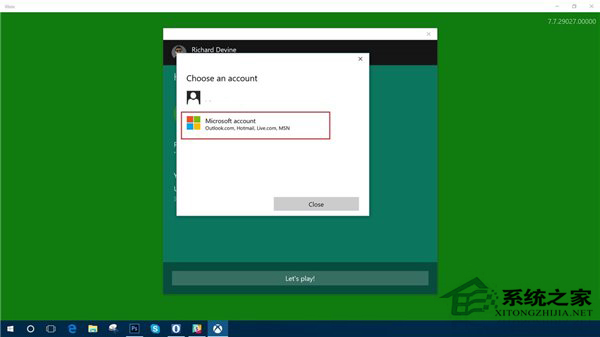
- 在錯誤視窗中點擊 「使用其他 Microsoft 帳戶登入」 按鈕(即使畫面未明確顯示此選項,通常在底部或側邊)。
- 不要點擊已列出的你自己的帳戶(那會導致循環錯誤)。
- 在「新增 Microsoft 帳戶」欄位輸入 你自己的 Microsoft 帳戶信箱與密碼 進行登入。
- 登入成功後,錯誤即解除,Xbox 應用程式正常運作。
核心邏輯: 錯誤源於帳戶驗證狀態不同步,「使用其他帳戶登入」流程會強制重新驗證並同步權杖,從而修復問題。無需任何指令或登錄修改。