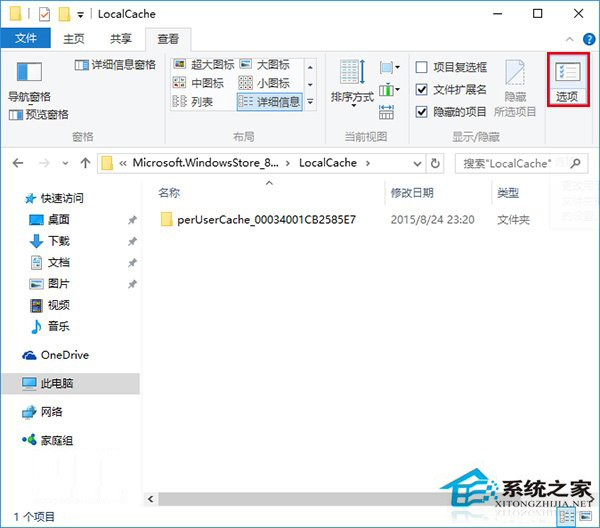
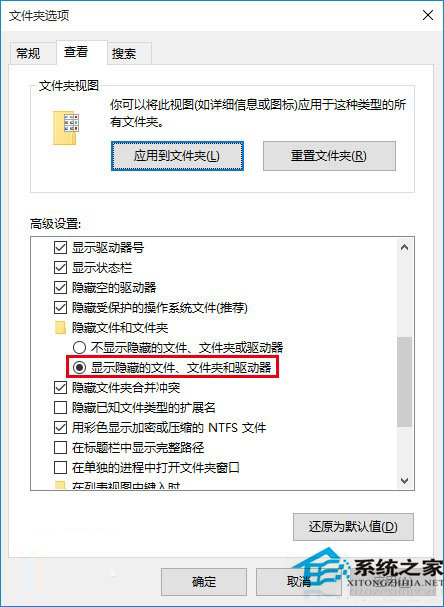
Microsoft Store 頻繁閃退、無法開啟、載入失敗,多半是本地快取資料損毀導致。刪除快取資料夾可快速修復:
C:\Users\<使用者名稱>\AppData\Local\Packages\Microsoft.WindowsStore_8wekyb3d8bbwe\LocalCache
若仍無法解決,可嘗試以系統管理員身分執行 PowerShell 執行 wsreset.exe 重置 Store,或重新註冊 Store 應用程式(參考「Win10 正式版應用程式商店閃退怎麼辦?」)。
wsreset.exe
解決 Win10 開機桌面圖示自動重新排列問題
Win10 9901 OneDrive 功能介紹:備份設定、應用、密碼至雲端跨平台同步
Windows 10 Setup.exe 命令列參數完整詳解 (自動化安裝部署)
Win10 啟用工作列透明效果(毛玻璃)方法
Win10 瀏覽器下載出現亂碼怎麼辦?
Windows 10 Spartan 瀏覽器整合 Cortana (小娜) 使用指南:Ask Cortana、側邊欄互動、企業資訊自動擷取
Win10 Win+X 無法開啟行動中心?其實只是介面變了,點擊即可進入
Win10通用版微博真機演示曝光:自適應窗口、優先推PC測試版