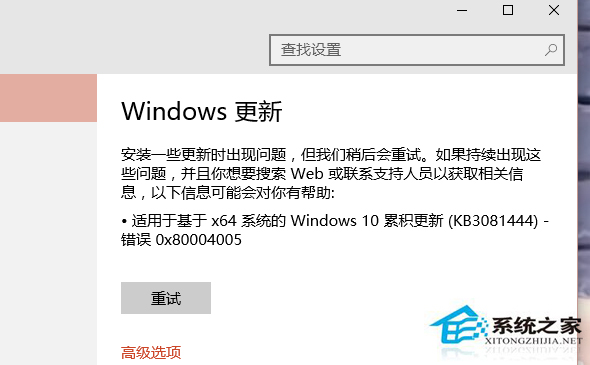
錯誤 0x80004005 多因檔案未正確註冊或防火牆阻擋,雙管齊下修復:
控制台 → 系統與安全性 → Windows 防火牆 → 還原預設值。
for %1 in (%windir%\system32\*.dll) do regsvr32.exe /s %1
完成上述步驟通常可解決 KB3116869 安裝失敗。
Win10 IE 11 禁止網頁播放動畫 (Flash/影片) 省電延長續航
Windows 10 新版應用程式商店 Beta 版無法開啟或閃退的修復指令
Win10 筆電顯示「電源已連接,未充電」?三大排查方向:充電禁用、非原廠充電器、電池保養模式
Win10 磁碟機出現兩個小人圖示?關閉磁碟共享移除共用標識教學
Win10 「此電腦」搜尋框點擊無反應怎麼辦?索引選項疑難排解 + 新增索引位置
Windows 10 天氣應用新增查詢城市:多地天氣一手掌握
安卓 APK 相容性差?Win10 Mobile 放棄 Project Astoria 轉投 iOS 應用移植
Win10 查看電腦記憶體大小兩法:系統屬性與 dxdiag 診斷工具