Windows 10 將「文件」資料庫移動至 D 槽後,導致 D 槽根目錄顯示為「文件」。解決方法:開啟「這台電腦」→ 左側「文件」右鍵「內容」→ 「位置」索引標籤 → 「預設值」 (還原至 C 槽) 或「移動」選擇正確資料夾 → 套用 → 確認移動檔案。
C:\Users\<用戶名>\Documents) 或「移動」選擇 D 槽下的特定資料夾 (如 D:\Documents)。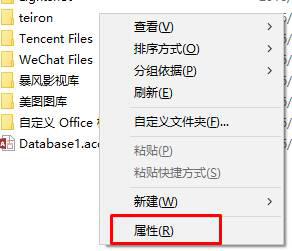
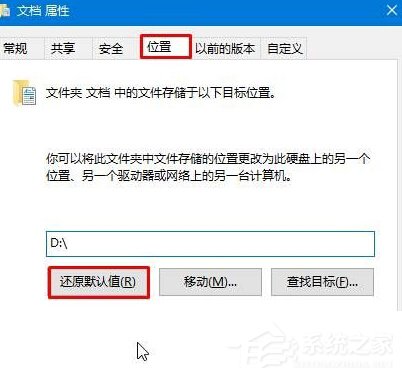
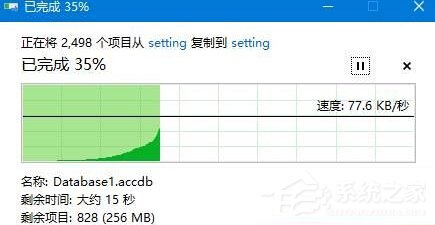
移動過程若提示覆蓋檔案,選「略過」即可。
Win10 系統精簡實戰:卸載預裝應用、關閉無用服務、深度清理
Windows 10 升級 C 盤空間不足?官方內建 U盤/外接硬碟擴充方案
Win10 SearchIndexer.exe 應用程式錯誤彈窗怎麼解決?移除第三方軟體、重啟搜尋服務、sfc 修復系統檔案
Windows 10 10041 新功能深度體驗:開始透明化、虛擬桌面增強、小娜登陸中國
升級 Win10 後提示「沒有權限存取網路資源」解決方法:新增 Windows 憑證
Win10 筆電連外接螢幕無畫面?雙模式切換:Fn+F10 或 Win+P 秒解決
Win10 畫圖工具快速轉檔:開啟圖片 → 檔案 → 另存新檔 → 選擇格式 (PNG/JPG/BMP/GIF/TIFF)