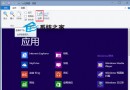
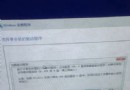
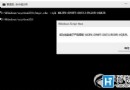
文字檔 (TXT) 相信大家很熟悉,桌面右鍵新建即可創建。近期有 Win10 用戶遇到 TXT 打不開情況,如何解決?
C:\Windows\SysWOW64,32 位系統開啟 C:\Windows\System32,找到並選中 notepad.exe,點開啟,之後即可正常開啟 TXT 檔案。關於 Win10 無法開啟 TXT 文字檔解決辦法分享到此,只要按教程將「始終使用此應用開啟 .txt 檔案」選項開啟即可。
Win7 修改登入介面為 Win10 風格:替換 authui.dll/basebrd.dll 並更換背景圖片兩步驟完成
微軟重組「Windows 與設備組」:以 Surface、HoloLens、Lumia 為先鋒展現 Win10 情懷
Win10 封鎖預裝應用與遊戲自動安裝:登錄表一鍵關閉內容傳遞
Win10 推送未收到解決方案:檢查 KB3035583 補丁、命令列重新整理 GWX 升級通知程序
Win10 10547 版本頻繁藍畫面重開機?關閉 Windows Defender 開機掃描與驅動簽名強制