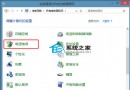
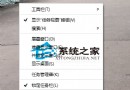
內建 Administrator 執行內建應用提示「無法使用內建管理員帳戶開啟」。修復:
修改生效後即可正常啟動內建應用。
Windows 10 設定滑鼠主要按鈕(左右鍵互換)的圖形化教學
Win10 工作列搜尋框太佔地方?三種模式隨心切換,乾淨俐落
Win10 9888 中文亂碼解決方案:正確設定地區與輸入法
Win10 10056 任務列時鐘還原舊版樣式:登錄表新建 UseWin32TrayClockExperience=1 找回經典時鐘
Win 10 PowerShell 批量建立資料夾:mkdir $(1..10 | %{"IThome$_"}) 一鍵生成編號資料夾
Windows 10 讓資料夾視窗並排顯示的多工作業技巧
Win10 管理員帳戶無法開啟特定程式?修改登錄 FilterAdministratorToken 允許高權限執行
Win10 將 Windows Defender 「掃描」加入檔案/資料夾右鍵選單 (Registry 註冊表法)