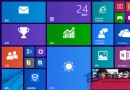
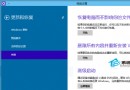
Win10 內部測試版 (Insider Preview) 可選擇更新接收速度,若想最快拿到新版本,可設定為「快速」通道。
亦可透過下載最新 ISO 掛載安裝、或製作 USB 開機碟安裝更新。選擇快速通道可優先體驗最新功能,但穩定性較慢速通道略低。
Win10 內建 Emoji 表情符號介紹:來源、讀音與輸入方式
Windows 10 閱讀器在哪?雙擊直接開啟 PDF 檔案
Win10 顯示/隱藏工作檢視按鈕 (虛擬桌面):右鍵工作列勾選切換,不影響快捷鍵操作
Win10 安裝 JADE 6.5 提示缺少 OCX 檔?下載註冊 MSCOMCTL.OCX 等 ActiveX 元件即可解決
Win10 設定允許哪些應用程式存取麥克風:精細控制語音隱私
Win10 Build 9860 關閉視窗動畫特效:系統進階效能設定一鍵關閉,虛擬桌面切換動畫同步停用
Win10 輸入法圖示消失只能打英文?控制台語言進階設定勾選「使用桌面語言列」,再按 Win+R 執行 ctfmon.exe 重啟輸入法