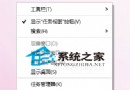
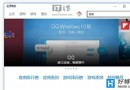
Win10 瀏覽器終於可以正式使用了,許多用戶都已更新至最新系統。然而新系統難免出現未預期的問題,例如近期有用戶反映 Win10 瀏覽器頁面會出現一堆代碼,這該如何解決?以下教你透過群組原理修改用戶代理字串快速修復。
gpedit.msc
MSIE 9.0
只要將字串設定為 Win10 系統適用的版本,即可解決瀏覽器頁面出現代碼的問題。快去試試吧!
Win10 Surface Pro 4 連不上 WiFi?六大官方解決方案
Win10 雙系統設定預設啟動項與等待時間:啟動選單與系統設定雙法
Win10 Microsoft Edge (斯巴達瀏覽器) 開啟下載資料夾位置:預設 Downloads 資料夾
Win10 開啟/關閉飛行模式:切斷所有無線通訊的快速開關
Win10 更新失敗進入無限重開機?USB 修復環境搭配命令提示字元修復
Windows 10 解決桌面背景黑邊:圖片位置設定「填滿」或「拉伸」消除邊框
Windows 10 市佔率略低於 8%,成長明顯放緩
Win10 無限重啟進入自動修復死循環?USB 啟動盤 + bcdedit 禁用自修復 + chkdsk/sfc 雙修復