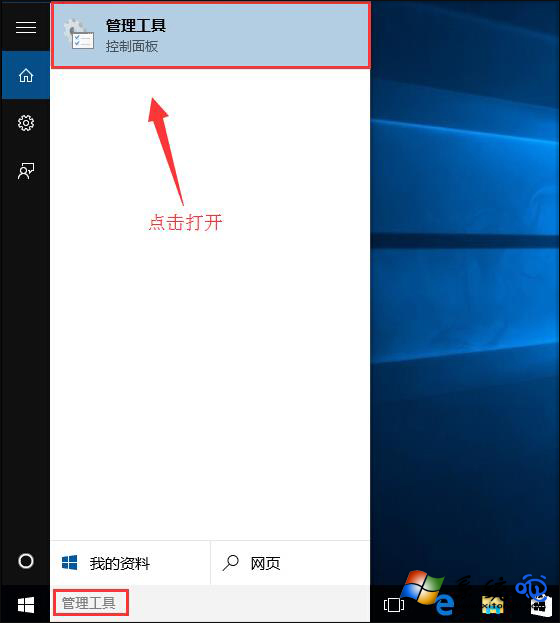
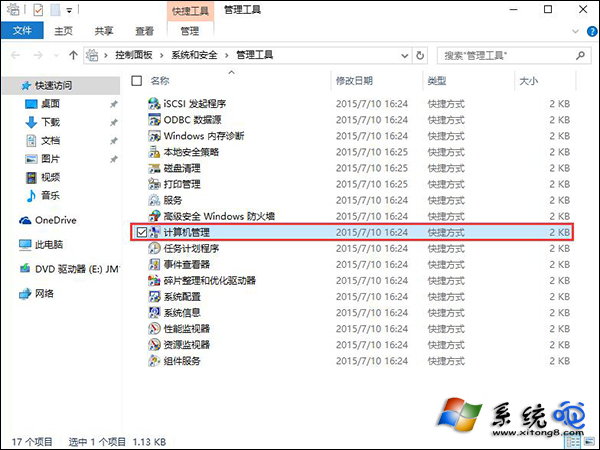
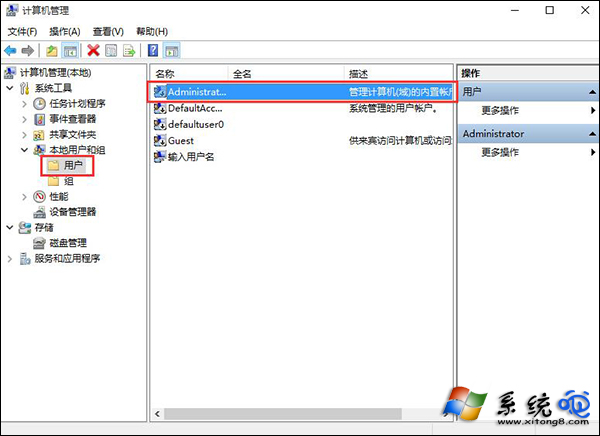
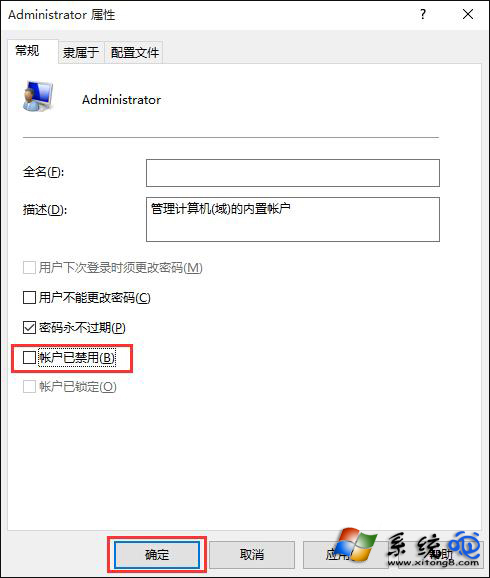
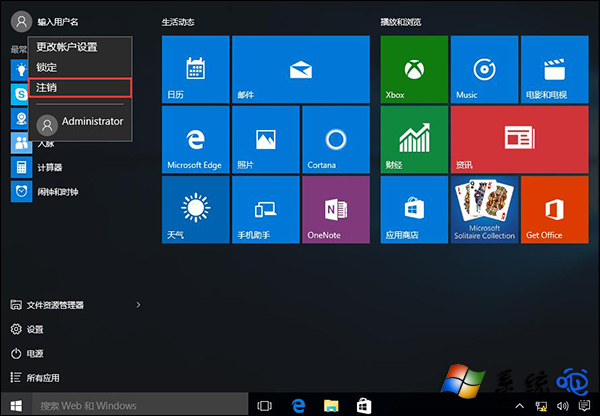
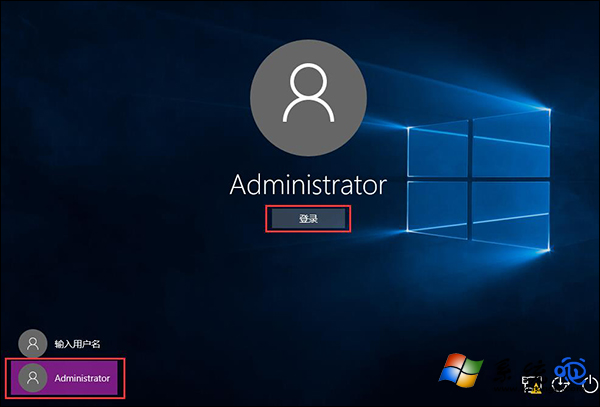
Windows 10 內建「Administrator」超級管理員帳戶預設停用,啟用後擁有最高系統權限,可管理其他帳戶、存取受保護系統資源、執行需完整權限的指令。適合進階維護場景,日常使用建議維持停用以確保安全。
注意:家庭版無「本機使用者和群組」管理單元,可嘗試命令列:net user administrator /active:yes (需系統管理員權限)。啟用後請務必設定強密碼,避免安全風險。日常操作請使用標準使用者帳戶,僅在需要時切換至 Administrator。
net user administrator /active:yes
Windows 10 如何設定電腦「永不睡眠」?設定介面與控制台電源選項雙法教學
Win10 開機音效啟用與自訂替換完整教學
Windows 10 任務檢視按鈕顯示/隱藏設定教學
Win10 Xbox 應用程式新增電腦遊戲完整教學
Win10 紅石版 Build 14295 更新內容:修復遊戲手柄凍結、大寫鎖定刷新、Xbox App 登入等問題
Windows 10 預覽體驗計畫「預覽版本」功能:無需重裝直接線上升級內部建置版
Win10 Build 10586.545 累積更新內容完整彙整
Win10 開機音樂不見了?同 22014 解決方案