Windows XP Windows 7 Windows 2003 Windows Vista Windows 綜合教學 Linux 系統教學
Windows 10 Windows 8 Windows 2008 Windows NT Windows Server 電腦軟體教學

Win10 升級 9879 失敗解決方案 (誤標 9789)

編輯:Windows 10 系統介紹

Windows 10 Build 9879 (非 9789) 升級失敗通用修復方案,同樣適用於預覽版各版本升級問題。

方案一:重命名 SoftwareDistribution 資料夾

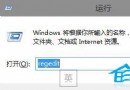
  1. 服務 → 停用「Windows Update」。
  2. 重命名 C:\Windows\SoftwareDistribution → SoftwareDistribution.old。
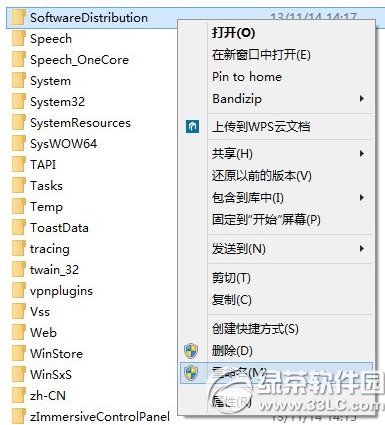
  3. 重新啟用「Windows Update」服務。

SoftwareDistribution

方案二:DISM 修復系統元件

  1. 管理員命令提示字元 / PowerShell。
  2. 執行:
DISM /Online /Cleanup-Image /CheckHealth
DISM /Online /Cleanup-Image /ScanHealth
DISM /Online /Cleanup-Image /RestoreHealth
DISM 指令

方案三:ISO 離線升級

  1. 下載 Win10 Build 9879 官方 ISO。
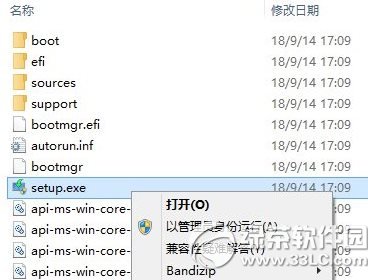
  2. 掛載/燒錄 → 執行 setup.exe → 選擇「保留個人檔案和應用程式」。

ISO 升級

版本號更正說明

文章標題提到「9789」為筆誤,實際版本為 Build 9879 (2015 年 11 月釋出)。Windows 10 預覽版版本號遞增:9841 → 9860 → 9879 → 9926 → 10041 → 10049 → 10061 → 10074 → 10130 → 10158 → 10166 → 10240 (RTM)。

Copyright © Windows教程網 All Rights Reserved