Win8 引入「啟動延遲」將桌面應用推遲載入以優先渲染開始屏。Win10 回歸桌面優先,該機制反成拖累。
regedit 打開注冊表編輯器。HKEY_CURRENT_USER\Software\Microsoft\Windows\CurrentVersion\ExplorerSerialize 子鍵:無則右鍵 Explorer → 新建 → 項 → 命名 Serialize。Serialize 下右鍵新建 → DWORD (32位)值 → 命名 StartupDelayInMSec。0(十六進制) → 確定 → 重啟生效。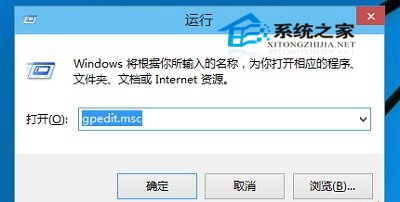
啟動項較多(>10 個)機器體感提升明顯:桌面圖標/任務欄圖標/托盤程序出現時間顯著提前。啟動項極少機器差異微乎其微。
注冊表操作具風險,建議修改前導出 Explorer 分支備份(或使用軟媒魔方等工具備份全量注冊表),出問題可雙擊 .reg 還原。