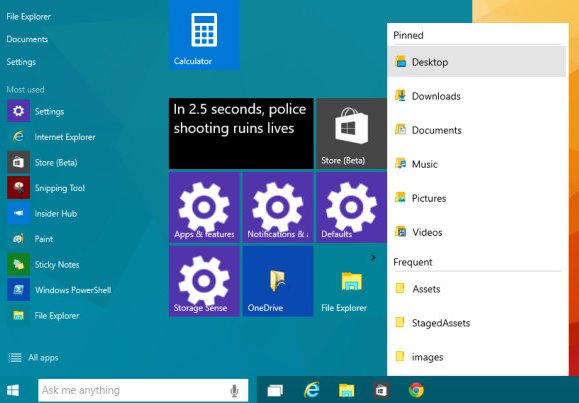
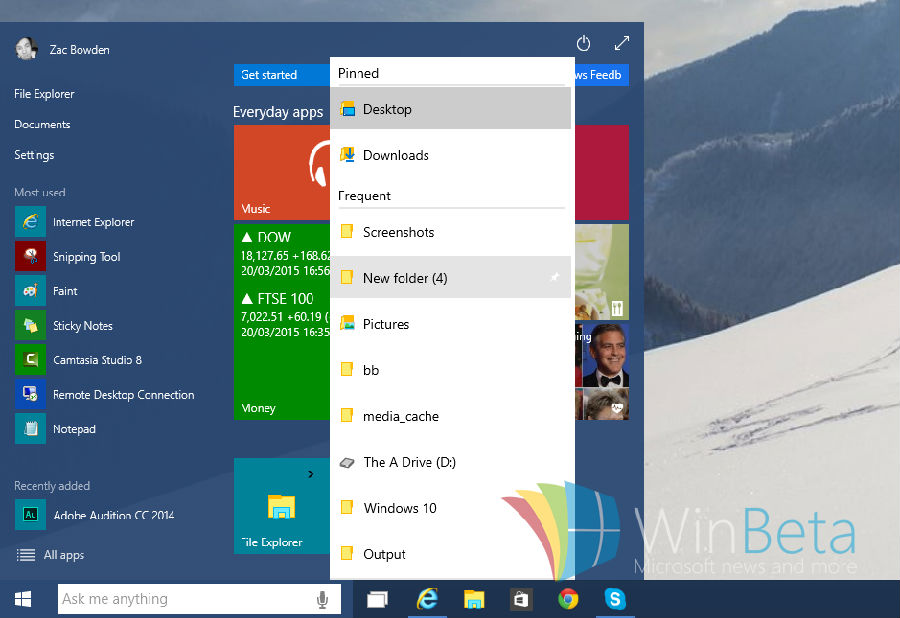
Jump List (跳躍清單) 記錄最近開啟項目,右鍵開始選單/工作列圖示快速存取。Win10 完整支援 Win7/8.x/UWP 應用程式 Jump List,開發者免重新編譯。
regedit
HKEY_CURRENT_USER\Software\Microsoft\Windows\CurrentVersion\Explorer\Advanced
EnableXamlJumpView
1
功能開發中,目前不穩定。期待正式版 (2015 夏季) 內建穩定版本。
Win10 快速開啟控制台的 6 種方法:搜尋、執行、右鍵開始、總管、導覽窗格、釘選
Win10 觸控板手勢完整圖解:六大核心手勢解鎖無滑鼠高效操作
Windows 10 使用檔案歷程記錄備份功能保護資料
Win10 建立桌面捷徑兩種方法比較:拖放建立連結 vs 傳統發送到桌面
Win10 系統最低/建議硬體規格完整版:官方門檻與實務配置建議
Win10 記憶體不足提示?BIOS 設定調整核顯顯存大小解決(僅適用整合顯卡)
Win10 魯大師無法開啟?相容性模式切換修復教學
Win10 設定圖片密碼(圖片解鎖)完整教學