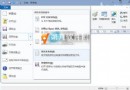
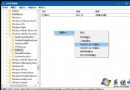
Build 9926 中 IE11 可啟用實驗性 Edge 引擎體驗斯巴達渲染:
about:flags(英文冒號)。
注意:渲染引擎尚不穩定,若遇問題可改回 Disabled 使用舊引擎。正式版斯巴達為獨立應用,不再依附 IE。
Win10 Build 10049 登入後藍屏卡住?暫時解法:Win+L 鎖定重新登入、或 Ctrl+Shift+Esc 喚出工作管理員
升級 Windows 10 正式版後原有軟體是否保留?完整解答
Win10 建立寬帶撥號連線桌面捷徑:設定 PPPoE 連線 → 網路連線建立捷徑兩階段完成
Win10 錯誤報告查找解決方案:rundll32 啟動 ErcApp 與控制台 Action Center 完整指令
Win10 開始選單磚設定全攻略:新增、移除、調整大小、固定工作列
Windows 10 暴風影音「已停止運作」解決:移除 KB3132372 更新補丁