部分用戶在關閉 Windows 10 時遇到 explorer.exe 應用程式錯誤,提示「指令引用的記憶體無法為 read」,點擊確定後甚至導致應用商店無法進入。這通常是系統元件損壞或顯示卡驅動不相容造成。
sfc /scannow 並按 Enter,等待掃描修復完成。若上述方法無效,問題可能出在顯示卡驅動。Win10 技術預覽版可能不支援舊版驅動(如適用於 Windows 8.1 的驅動)。建議暫時卸載顯示卡驅動,或前往廠商官網下載 Win10 專用版本。
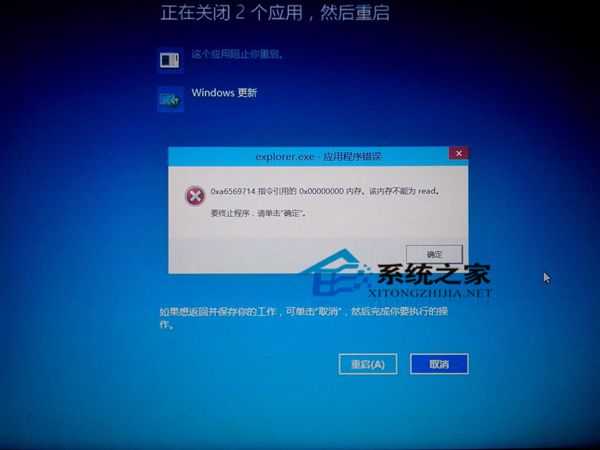
Win10 技術預覽版仍在持續更新中,若非急於嘗鮮,建議等待正式版發布後再升級,以獲得更穩定的體驗。
Win10 免修改註冊表開啟 SATA AHCI 模式,安全模式切換法完整教學
Win10 Edge 瀏覽器網頁內搜尋:Ctrl+F 或選單兩種方式
Win10 10240 升級 TH2 10586 正式版操作指南
Win10 內建 Microsoft Print to PDF 輸出 PDF (重複 ID 21421):列印對話框選擇虛擬列印機一鍵生成 PDF
Win10 工作列四大必學熱鍵:Shift 點擊新實例、Shift+Ctrl 管理員、Shift+右鍵視窗選單、Shift+右鍵背景工作選單