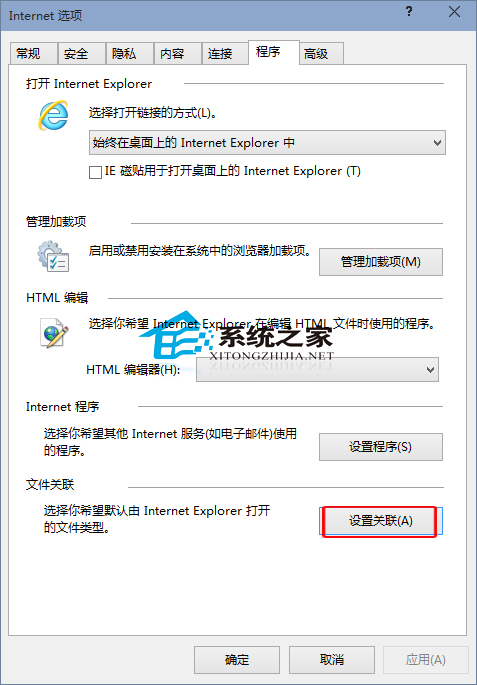
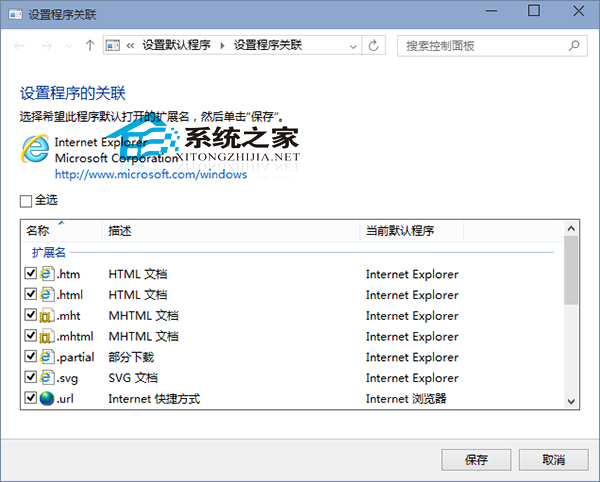
安裝其他瀏覽器誤操作導致 IE 無法開啟 HTML 等檔案。解決方法:設定 IE 檔案關聯。
完成即可恢復 IE 開啟網頁檔案功能。
Win10 恢復刪除確認對話框:回收站屬性勾選顯示確認
Win10 英文版改中文版完整教學:下載語言包、設為預設、重開機三步驟
Win10 關閉公用網路環境下的「網路探索」功能保護隱私
Win10 執行遊戲跳出 0xc0000022 錯誤?啟用 DirectPlay 元件修復
Win10 如何關閉自動定位功能?保護隱私防止位置追蹤
Win10 Build 10049 已知問題與修復彙總:登入藍屏、Outlook 搜尋、虛擬機不支援、相簿閃退、桌面透明度、鎖屏卡頓均已修復
Win 10 修改螢幕關閉與睡眠時間設定教學
Win10 每隔幾分鐘自動黑螢幕解決方法:電源/螢幕保護設定