Windows XP Windows 7 Windows 2003 Windows Vista Windows 綜合教學 Linux 系統教學
Windows 10 Windows 8 Windows 2008 Windows NT Windows Server 電腦軟體教學

Win10 升級缺少 boot.wim?手動複製 $Windows.~BT 至非系統碟安裝

編輯:Windows 10 系統介紹

升級 Win10 時提示找不到 boot.wim(錯誤 0x80070002),通常是 $Windows.~BT 預下載資料夾權限/屬性異常。解決核心:複製資料夾至非系統碟、修正屬性、手動執行 Setup.exe。

🔧 完整操作流程

  1. 確認下載完成:C 槽啟用「隱藏項目」,找到 $Windows.~BT,大小應在 3–6.9 GB。若不確定,檢查 C:\Windows\SoftwareDistribution\Download\ 內是否有大型暫存資料夾仍存在(存在表下載中)。
  2. 複製資料夾:將 $Windows.~BT 整個複製到非系統碟(如 D:\Win10_Setup)。
  3. 修正屬性(關鍵):右鍵複製後的資料夾 → 「內容」→ 取消「唯讀」與「隱藏」→ 「套用到此資料夾、子資料夾和檔案」。
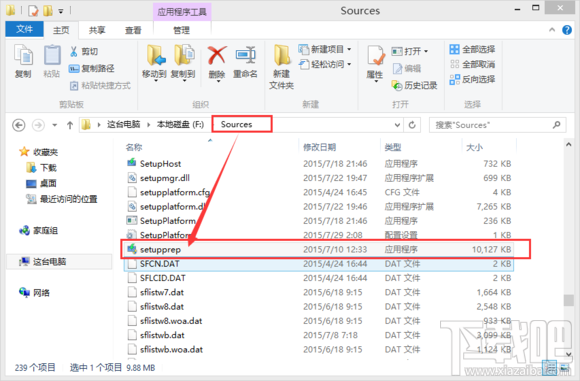
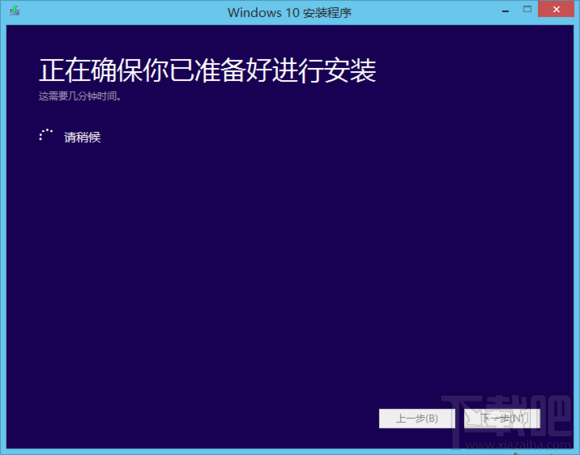
  4. 以管理員身分執行安裝:進入 D:\Win10_Setup\Sources\Setup.exe,右鍵「以系統管理員身分執行」。
  5. 若點開後檔案變小:檢查回收站還原,或重新複製。

💡 進階補救

  • 若操作後 $Windows.~BT 只剩 10 MB:刪除 C:\Windows\SoftwareDistribution\Download 內容與 $Windows.~BT,重新整理資料夾,Windows Update 將重新下載。
  • 建議升級前備份 $Windows.~BT,避免工具誤刪導致需重新下載 4 GB 檔案。
複製 $Windows.~BT

Sources 資料夾

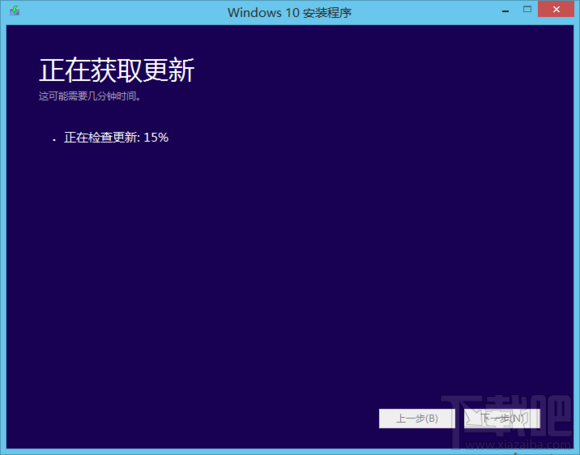
Setup.exe 執行

Copyright © Windows教程網 All Rights Reserved