同 ID 23661 內容精簡版,核心步驟如下:
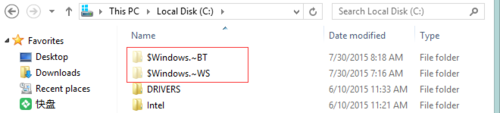
%temp% 暫存檔與 C 槽 $Windows.~BT、$Windows.~WS 下載殘留 > 重啟 > 再試。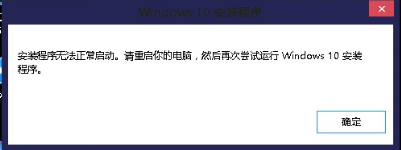
Win 10 偵測不到更新、無法升級新版本?重命名 SoftwareDistribution 資料夾修復
Win10 打開「電腦管理」三法:右鍵此電腦、檔案總管標籤、運行命令 compmgmt.msc
Win10 Mobile 版 Edge 瀏覽器將支援擴充功能:手機瀏覽器新突破
Win10 C 槽 WinSxS 資料夾能不能刪?DISM 查真實大小 + 批次腳本清理舊版本元件
Win10 如何獲取成員版本 (Insider Preview)?完整綁定 Microsoft 帳戶與加入計畫教學
Win10 Build 9901 強化 Storage Sense 儲存感知:新增「儲存位置」設定,可指定應用/媒體預設路徑