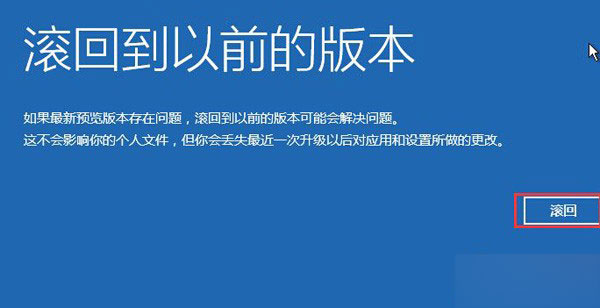
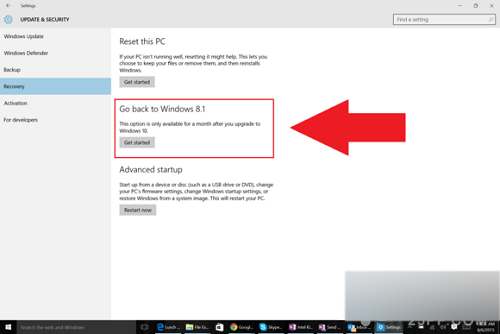
升級 Win10 後不滿意可滾回舊系統,但有時間與條件限制:
Windows.old
滾回完成後若遺失檔案可用備份恢復;若系統無法開機需使用恢復媒體或 USB 重裝。
Win10 群組原則編輯器 (gpedit.msc) 兩種快速開啟方法
Windows 10 寫字板儲存為 TXT 純文字格式:兩步驟操作指南
Win10 預覽版 Steam 遊戲崩潰解決:重啟 Steam Client Service 批次檔法
Win10 開機自動彈出 MSN 中文網?登錄檔關閉 EnableActiveProbing 解決
Win10 虛擬鍵盤(螢幕鍵盤)如何快速開啟?工作列工具列啟用觸控鍵盤
Windows 10 桌面新增常用應用程式圖示教學
Win10 斯巴達瀏覽器中的小娜(Cortana)目前有什麼用?
Win10 手動新增無線網路連線教學:網路和共用中心六步驟