升級 Win10 正式版後,郵件、行事曆、人脈同步失敗提示 0x80c8043e。主因為 Windows Communications Apps 套件註冊損壞,或 KB3081436 累積更新導致授權快取異常。
方法一:PowerShell 重新註冊通訊應用套件 (首選)
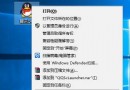
- Cortana 搜尋「PowerShell」→ 右鍵「以系統管理員身分執行」。
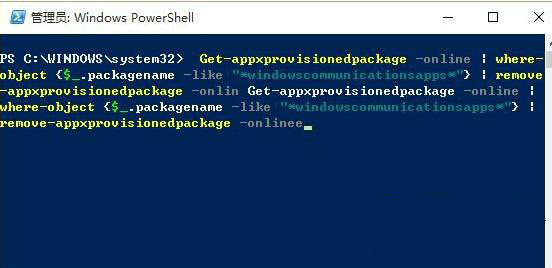
- 執行指令:
Get-AppxProvisionedPackage -Online | Where-Object {$_.PackageName -like "*windowscommunicationsapps*"} | Remove-AppxProvisionedPackage -Online
- 完成後開啟 Microsoft Store,尋並重新安裝「郵件和行事曆」、「人脈」。
方法二:卸載 KB3081436 更新 (備選,有風險)
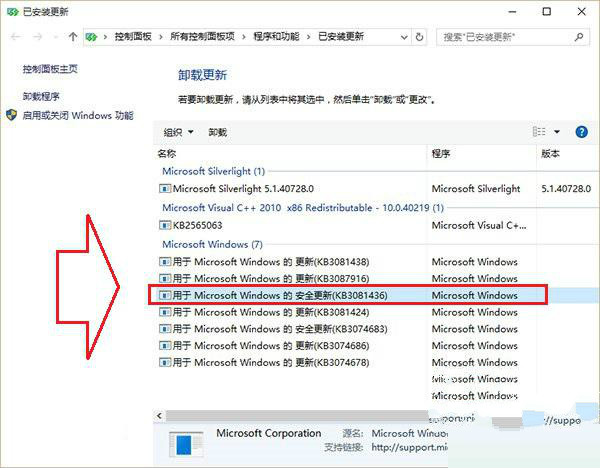
- KB3081436 為 Win10 正式版第二波累積更新,引入同步授權回歸 Bug。
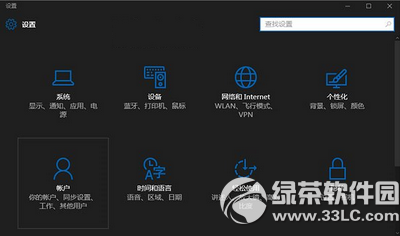
- 「設定」→「更新與安全性」→「Windows Update」→「更新歷程記錄」→「解除安裝更新」→ 找到 KB3081436 → 解除安裝。
- 風險:卸載安全更新可能暴露漏洞,微軟後續 KB3081438 已修復此問題,建議優先安裝最新累積更新而非卸載。
根因與建議
- 核心問題:
windowscommunicationsapps 套件授權快取與 Store 機制不匹配。
- 方法一屬標準修復流程,保留系統安全更新,推薦優先使用。
- 保持 Windows Update 開啟,及時安裝最新累積更新 (含 KB3081438 及後續) 可從根本避免此類問題。