Windows XP Windows 7 Windows 2003 Windows Vista Windows 綜合教學 Linux 系統教學
Windows 10 Windows 8 Windows 2008 Windows NT Windows Server 電腦軟體教學

Windows 10 群組原則 gpedit.msc 無法開啟?複製專業版檔案至 System32 修復

編輯:Windows 10 系統介紹

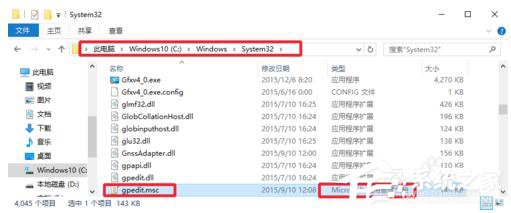
Windows 10 家用版預設不包含 gpedit.msc (群組原則編輯器),專業版/企業版若遺失也可透過複製檔案修復。核心檔案位於 C:\Windows\System32\gpedit.msc。

檢查與修復步驟

  1. 確認 C:\Windows\System32\gpedit.msc 是否存在。
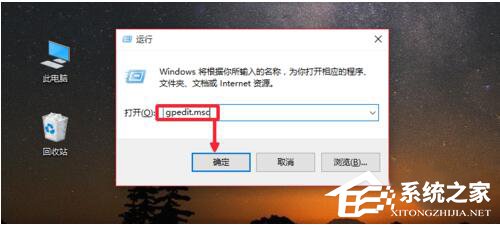
  2. Win+R → gpedit.msc 測試能否開啟。
  3. 若檔案遺失或無法開啟:從相同版本 (專業版對專業版) 的正常電腦複製 gpedit.msc 及相關 GroupPolicy 資料夾至 C:\Windows\System32\ 覆蓋。
  4. 重新嘗試 Win+R → gpedit.msc 開啟。

System32 目錄下的 gpedit.msc

執行 gpedit.msc

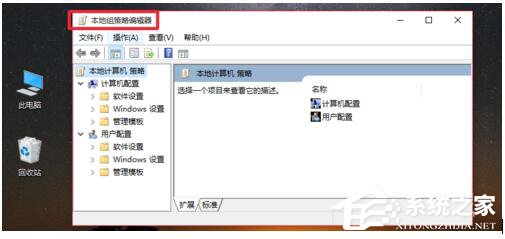
群組原則編輯器介面

複製檔案操作

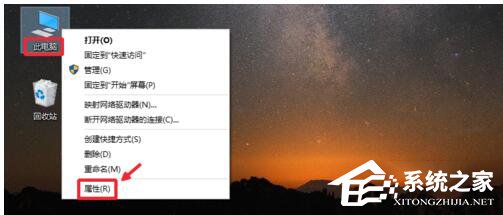
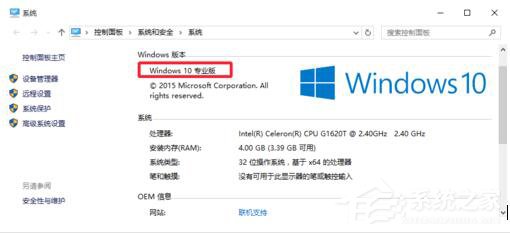
確認系統版本

家用版替代方案:家用版無群組原則功能,可使用 第三方啟用腳本 或直接編輯對應登錄鍵值 (大多群組原則最終寫入 HKLM/HKCU\Software\Policies 與 HKLM/HKCU\Software\Microsoft\Windows\CurrentVersion\Policies)。

Copyright © Windows教程網 All Rights Reserved