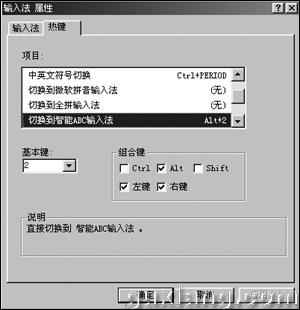
Windows 內建即可自訂輸入法切換熱鍵,無需下載「輸入法小管家」。
此法比預設 Ctrl+Space 更直觀,多輸入法環境下極大提升切換效率。
用記事本一鍵導出系統配置資訊:systeminfo 指令批次檔實作教學
Ghost 備份還原黃金法則:備份點選擇、還原注意、常見問題避坑
搜狗輸入法更換候選字體教學:告別預設漢儀細圓
.isz文件是什麼?UltraISO掛載/刻錄光盤鏡像格式詳解
Deep Freeze 冰點還原精靈圖文教程:安裝、設定密碼、解凍/凍結、修改密碼、新增保護檔案
大檔案傳輸斷點續傳神器:TeraCopy 設定中文、拖放複製、詳細資訊、速度提升實測
用 WinRAR 自製 Windows 9x 開機密碼程式
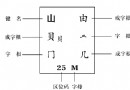
五筆打字末筆字型交叉識別碼詳解:規則、編碼實例與速查表