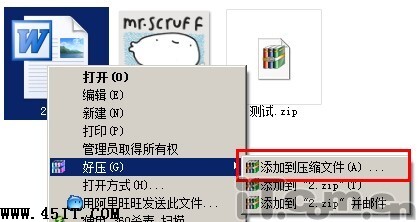
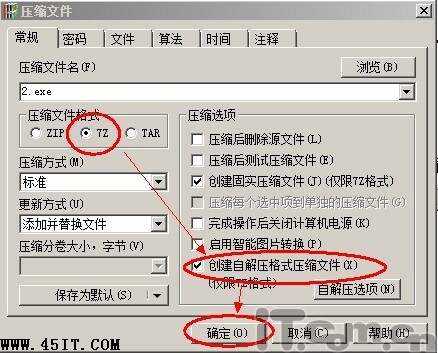
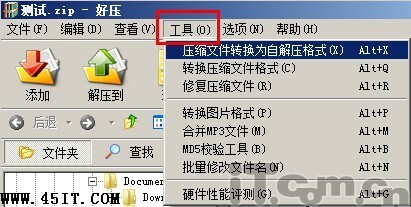
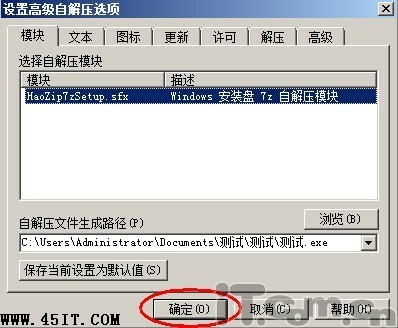
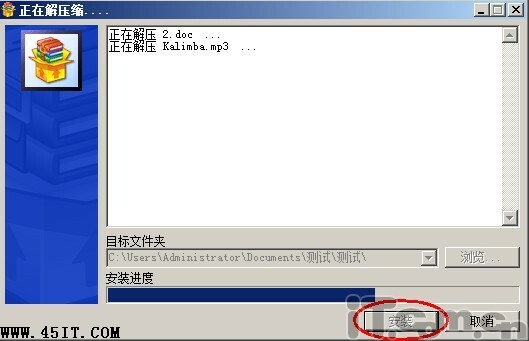
收件者雙擊 .exe 即可自動解壓至當前資料夾,無需安裝解壓軟體。
Process Tamer:以軟件模擬超執行緒,優化多任務響應
SuperFassst! 硬碟加速軟體:不超頻提升 160%+ 速度,含定時掃描/碎片整理、多重加速模式
Ghost 所有錯誤代碼完整對照表:遇到故障秒懂原因
五筆輸入法漢字結構判斷:左右型、上下型與雜合型詳解
VMware vSphere/ESXi 突破2GB內存最低限制:修改啟動腳本實現低內存啟動
WinRAR 密碼進階技巧:漢字密碼、多層加密與免重複輸入
RAR 檔案怎麼打開?WinRAR 解壓縮完整教學
驅動人生「人生日曆」徹底卸載兩大法:目錄刪除法與開始菜單法