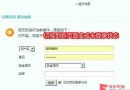
忘記 IE 內容分級密碼導致無法進入特定網站?透過登錄編輯器刪除對應 Key 即可清除密碼(之後可重設)。
regedit
HKEY_LOCAL_MACHINE\Software\Microsoft\Windows\CurrentVersion\Policies\Ratings
Key
透過網易 POPO 實現 MSN 隱身聊天:安裝 MSN 外掛、設定隱身狀態、收發訊息不漏
微信聲紋鎖在哪裡?怎麼設定?iOS 版聲音登入圖文教學
微信朋友圈發布小視頻教學:記錄生活精彩瞬間
MSN Messenger 超實用技巧(三):多帳號同時登入、隱身發訊息、自訂提醒訊息、啟用傳檔病毒掃描
電子郵件「抄送」(CC) 與「密送」(BCC) 差異與實務用法詳解
FTP 登入錯誤代碼大全:530 Not logged in 等常見錯誤詳細解釋
IE 跳出「憑證錯誤」怎麼辦?四步徹底修復網頁憑證異常
變聲寶寶使用教學:QQ 語音聊天實戰圖解