Windows XP Windows 7 Windows 2003 Windows Vista Windows 綜合教學 Linux 系統教學
Windows 10 Windows 8 Windows 2008 Windows NT Windows Server 電腦軟體教學
您现在的位置: Windows教程網 >> Windows教程 >  >> 電腦軟體教學 >> 網路工具

Foxmail 與 Outlook/Outlook Express 地址簿互通:WAB 格式雙向匯入匯出教學

編輯:網路工具

核心原理

Foxmail 地址簿格式為 .box + .ind,Outlook/OE 為 .wab(Windows Address Book)。以 WAB 為中介格式實現雙向轉換。

一、Foxmail → Outlook/OE

  1. Foxmail 工具列 → 「地址簿」按鈕。
  2. 工具 → 匯出 → 「WAB 檔案」。
  3. 「另存為」對話框指定 Outlook/OE 地址簿目錄:
      • Win9x:\Windows\Application Data\Microsoft\Address Book
      • XP:\Documents and Settings\用戶名\Application Data\Microsoft\Address Book
  4. 點「儲存」,完成匯出。

二、Outlook/OE → Foxmail

  1. Foxmail 地址簿視窗 → 「個人地址簿」/「公共地址簿」下新增資料夾。
  2. 工具 → 匯入 → 「WAB 檔案」。
  3. 「開啟」對話框定位到 OE 的 .wab 檔(同上目錄) → 開啟。
  4. 自動轉換為 .box/.ind 並匯入指定資料夾。

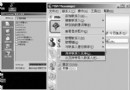
Foxmail 匯入 WAB 示意

注意事項

  • 欄位對應:姓名、Email、電話、地址等常用欄位完整保留;自訂欄位可能遺失。
  • 群組/通訊群組:Foxmail 的「群組」與 OE 的「群組」結構不同,匯入後可能需手動整理。
  • 編碼:中文環境下通常無亂碼;若遇編碼問題,嘗試用記事本開啟 .wab 另存為 UTF-8/Unicode 再匯入(較複雜)。
  • 建議:定期雙向同步並備份 .wab 與 Foxmail Mail\Address 資料夾。

結語

Foxmail ↔ Outlook/OE 地址簿互通,關鍵在「WAB 中轉」。幾步點擊即可完成雙向遷移,解決換軟體/多軟體並用時的通訊錄割裂問題。

Copyright © Windows教程網 All Rights Reserved