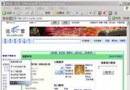
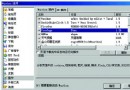
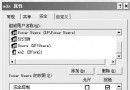
兩種方法皆可讓 HTML、HTTP 連結預設用 IE 開啟。
取消 QQ 顯示「微信在線」狀態:關閉 QQ 離線助手微信連線功能圖文教學
Chrome 擴充元件 Shockwave Flash 未回應?停用 PPAPI 改用 NPAPI 解決
IE9 找不到「使用軟體繪圖而非 GPU」選項?兩種修復法:重裝或匯入註冊表
微信不想看某人朋友圈但不想刪除好友?「不看他朋友圈」一鍵屏蔽
極路由 HiWiFi 實測評測:金屬機身、智能雲插件、遠端管理、廣告過濾體驗優
Firefox 設定檔完全指南:profiles 目錄、user.js、userChrome.css、userContent.css 四大核心檔案
「下載 BT 時打不開網頁」根因與解決:XP SP2 TCP 半開連線限制破解 (修正註冊表無效謬誤、EvID4226Patch、BitSpirit 附贈工具)