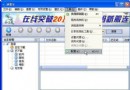
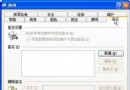
Firefox 所有個人設定儲存在「設定檔資料夾」,掌握其位置與四大核心設定檔,即可深度客製化瀏覽器行為、介面與網頁外觀。
| 作業系統 | 路徑 |
|---|---|
| Win 95/98/Me | C:\WINDOWS\Application Data\Phoenix\Profiles\default\xxxxxxxx.slt\ |
| Win 2000/XP | %AppData%\Phoenix\Profiles\default\xxxxxxxx.slt\ (資源管理器網址列輸入 %AppData% 直達) |
| Linux | ~/.phoenix/default/xxxxxxxx.slt/ |
| Mac OS X | ~/Library/Phoenix/Profiles/default/xxxxxxxx.slt/ |
Firefox 支援多設定檔,可用設定檔管理器管理;上述為預設設定檔路徑。
user.js,Win 需顯示副檔名)。about:config 即可編輯其中參數,修改值即時存入 prefs.js。chrome 子資料夾。userChrome-example.css,重新命名移除 -example 即可使用。chrome 子資料夾。userContent-example.css,改名移除 -example 即可。網址列輸入 about:config 可視覺化編輯所有隱藏參數 (大多來自 Mozilla),修改即時生效並寫入 prefs.js。建議參考 中文說明文件 後再改。
掌握設定檔架構,Firefox 客製化無極限。