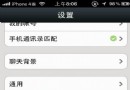
不想清空整個聊天記錄,只想刪除幾條特定訊息?微信支援批量多選刪除:
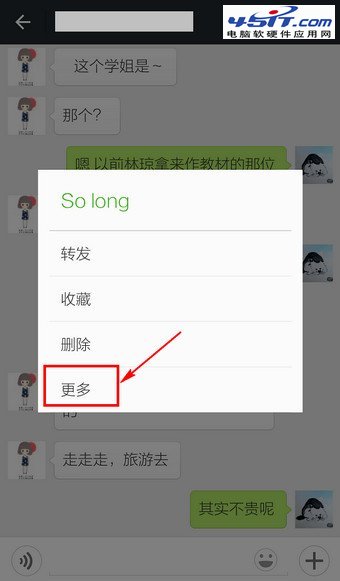
圖:長按訊息
圖:選擇更多
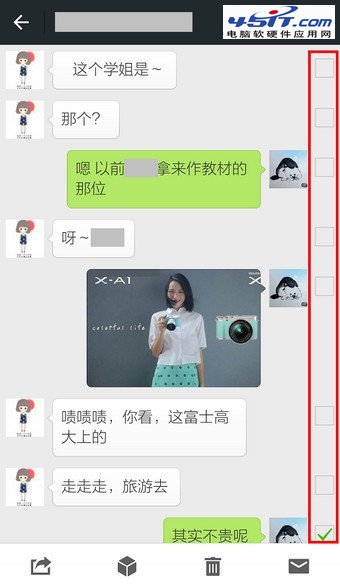
圖:出現核取方塊
圖:多選訊息
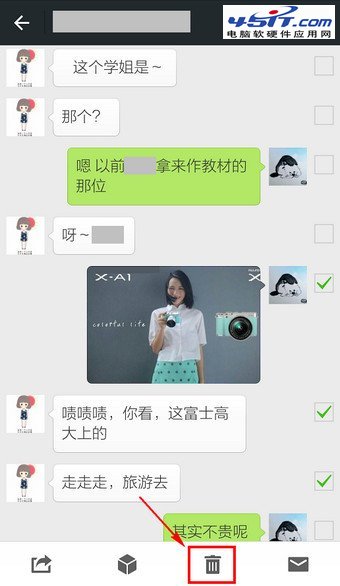
圖:點擊刪除圖示
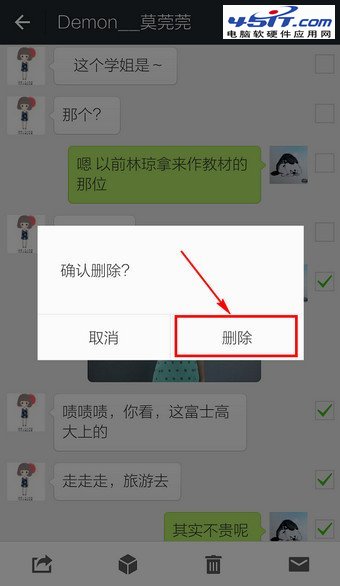
圖:確認刪除
精準刪除敏感/無用訊息,保留重要對話,聊天記錄更乾淨。
愛快軟路由怎麼樣?功能詳解與網友實測評價
FTP 軟體二進制模式設定教學:FlashFXP、LeapFTP、CuteFTP 圖文詳解
天貓紅包使用全攻略:疊加規則、抵扣流程與限制條件詳解
IE 無法顯示 PNG 圖片(顯示紅 X)解決方案:pngfilt.dll 遺失或未註冊
用 FlashGet 修復損壞 ZIP 檔案:不限自家下載,CRC 校驗錯誤一網打盡
快的打車如何綁定支付寶付款?註冊登入→設定→綁定支付寶完整圖文
「糟糕!此鏈接好像已損壞」三大原因與四步解決方案
Chrome 關閉標籤頁誤關了怎麼辦?三種還原法:新標籤頁列表、右鍵選單、快捷鍵 Ctrl+Shift+T