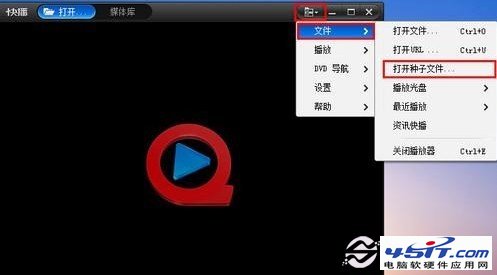
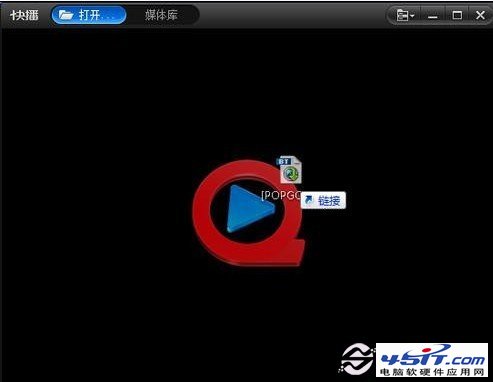
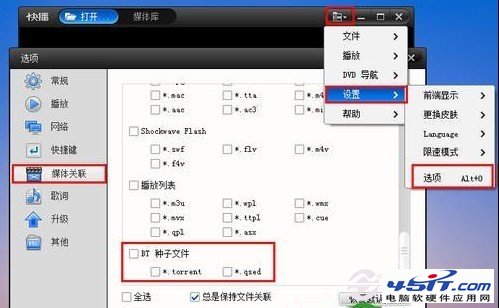
快播支援 BT 種子 P2P 邊下邊看,三種開啟方式:
.torrent
視頻網站無資源時,找 BT 種子用快播/其他 P2P 播放器是不二選擇。新手速學,高手略過。
QQ音樂下載歌曲完整教程:從搜尋到本地保存
軟體編解碼器常見問題全解析:定義、內建類型、缺失原因、DVD解碼、32/64位元相容性
會聲會影導出視頻文件教程:自定義輸出參數完整流程
電腦下載電影 N 種方法:線上影音網站/播放器客戶端/迅雷 BT 磁力連結全攻略
PPStream播放視頻藍屏重啟?刪除Aclayer文件解決
利用暴風影音實現雙字幕播放:MPC 內建 + VSFilter / FFDShow 兩種方案完整教學
PPS 影音播放後螢幕留黑影?四大成因與分級解決方案
暴風影音只有聲音無畫面/只有畫面無聲音:核心切換法