在 Win7 64 位元上跑 64 位元客體 OS 時,VMware 提示「軟體虛擬化與此平台上的長模式不相容」,主因是 CPU 虛擬化技術(VT-x/AMD-V)在 BIOS 中未啟用。
解決步驟
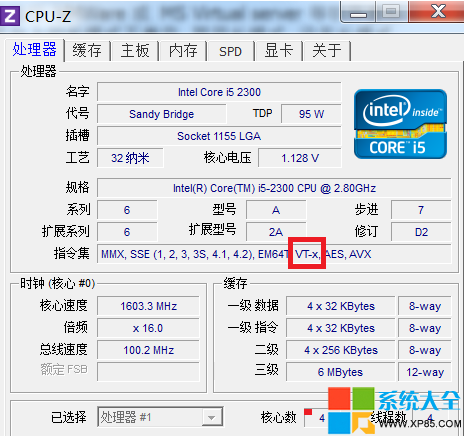
- 確認 CPU 支援虛擬化:用 CPU-Z 查看 VT-x 項目為 Supported。
- 進入 BIOS 開啟虛擬化:
a) 完整關機(非重啟),開機連按 Del(或 F2)進 BIOS。
b) 找到 Configuration / Advanced > Intel Virtualization Technology / AMD-V,設為 Enabled。
c) F10 儲存離開重開機。
- 重新安裝或修復 VMware Workstation(確保驅動正確載入)。
啟用 VT-x 後,VMware 即可使用硬體輔助虛擬化執行 64 位元客體系統,效能大幅提升。