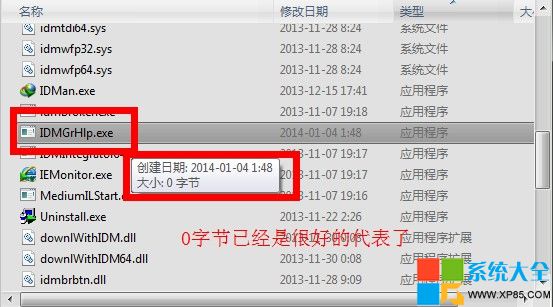
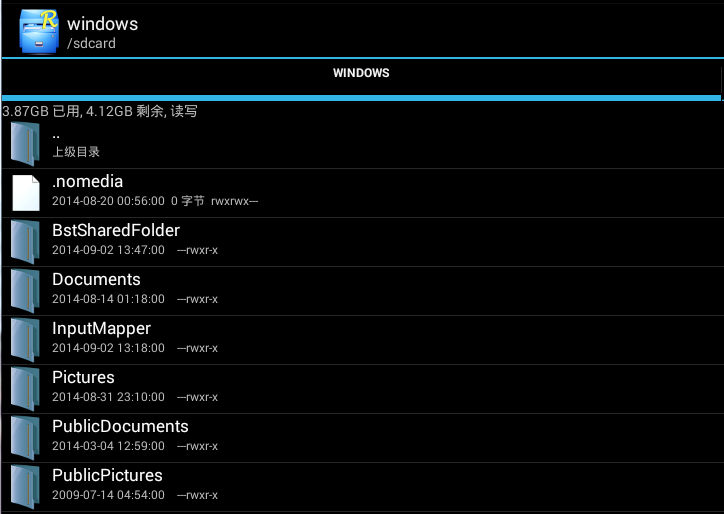
使用 Internet Download Manager (IDM) 破解版時,常遇到啟動時彈出註冊提示對話框干擾。解決方法極簡單:替換安裝目錄下的 IDMGrHlp.exe 為空檔案。
IDMGrHlp.exe
C:\Program Files (x86)\Internet Download Manager
原理:IDM 啟動時會呼叫此檔檢查授權,空檔案無執行碼,直接略過檢查。注意:此法僅移除提示,不影響下載功能。
虐殺原形 PC 版第 9 關劇情流程圖文攻略
《俠客風雲傳》「入朝為相」結局解鎖攻略:杭州選碼頭、放走要犯、蕭遙好感滿同歸
DNF「小羊咩咩」寵物屬性評測:唯三速 +2%、其餘雞肋,性價比極低
Word 取消自動加入空格:關閉「智慧型剪貼」自動調整句子字距
WPS 突然打不開?重裝、副檔名修正、降級版本三解法
Win8.1 Update 1 後 IE11 圖標丟失?開始屏幕搜索固定找回、通用於所有現代應用
小米錢包體驗:貨幣基金收益超餘額寶,註冊充值全流程
微信視頻聊天如何美顏?兩大替代方案:光線佈局技巧 + 改用 QQ 視頻內建美顏