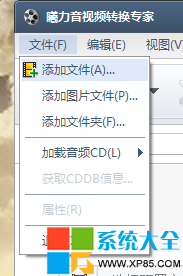
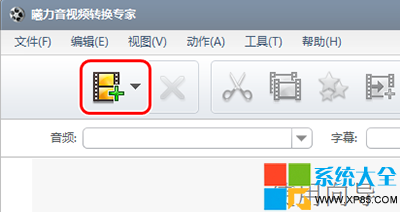
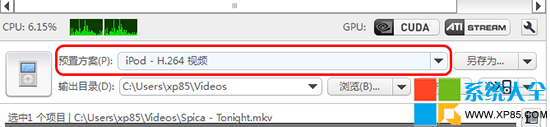
曦力音視頻轉換專家擁有近乎完美的轉換引擎,支援 150 種以上音視頻格式互轉。基本操作如下:
進階參數(解析度、位元率、幀率、編碼器等)可在方案細節中自訂。批次轉換、剪輯合併、字幕嵌入等功能同樣支援。
下載:曦力音視頻轉換專家
百度 WiFi 連線教學:三步免費連接周邊熱點、小度幫你連
Outlook Express 郵件存儲路徑遷移教學:保護郵件資料不隨系統重灌消失
Adobe Photoshop Lightroom 5 繁體中文版安裝與激活圖文教學
微信支付日攻略:每周二線下消費滿 10 立減 10,喜市多咖啡買一送一
《逆戰》備戰開學季每日報道領返校禮包:連續簽到提高中獎率,5000NZ點/刑天/黃金之翼等你拿
WPS 文字橫向列印設定雙法:經典選單法與新版介面法圖文詳解
《我的世界》惡魂(Ghast)打法全攻略:輕鬆反彈火球、守護地獄傳送門
筆電老是自動連回舊 WiFi?教你取消「自動連接」設定