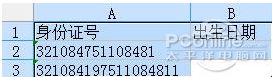
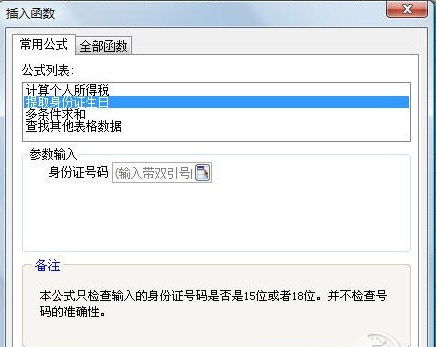
錄入大量身份證資料需提取出生日期?WPS 表格(ET)內建「提取身份證生日」常用公式,無需學函數、找模板,三秒完成。
fx
內建公式自動解析身份證號第 7-14 碼,零失誤、超高效,資料錄入必備神技。
解決 PPS 網路電視緩衝 100% 卻無法播放問題
天涯明月刀 8 月 QQ 會員每日簽到領禮包活動網址與規則詳解
校園電力系統滲透實戰記錄:從 SQL 注入到 SA 權限、修改電費餘額全過程
逍遙安卓模擬器開啟 ROOT 權限教程:一鍵獲取最高系統權限
天涯明月刀幫派盟會新玩法詳解:盟會周常宣戰、戰場優化、幫派競技、激勵倉庫、指揮官系統五大核心改造
NVIDIA GT630 / GT630M 顯卡深度評測:入門級產品的真實表現與選購建議
饑荒地圖全開作弊教程:修改 player_common.lua 添加 Ctrl+1 熱鍵
WiFi共享精靈手機版上線:六大亮點深度解析,熱點分享更智能