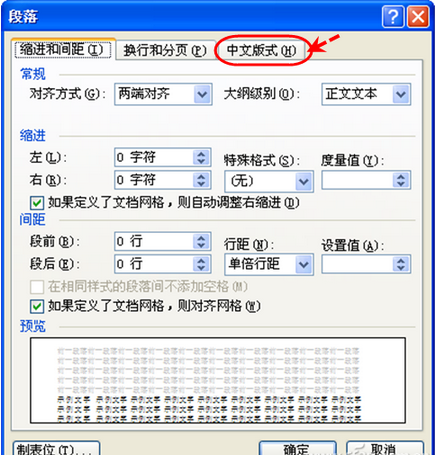
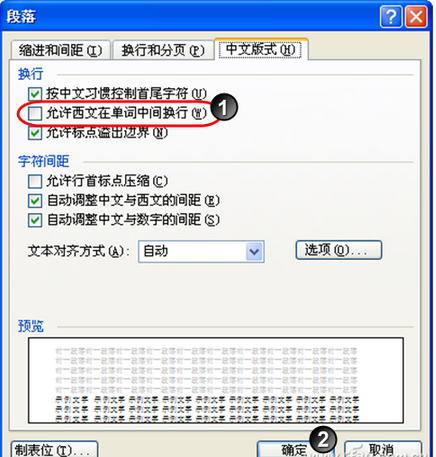
中英文混排時,行尾英文單詞被拆分兩行且無連字號,違反排版規範。Word 內建選項一鍵解決。
一處設置,全文生效,告別手動調整換行。
網頁表格完美複製到 Word:保留結構去雜質
《天諭》螢火蟲任務攻略:海底地宮傳送陣附近夜間刷新,抓 15 隻得聲望與雲幣,技巧優先找 3 隻點
《CF》8月新版本「海灘派對」武器搶先看 PMR-30、AK5C、AK12-A、阿梅利輕機槍詳解
CF 暗金 M200 評測:外觀奢華、屬性微增、性價比僅適合收藏黨
《DNF》體驗服小羊大作戰活動獎勵匯總 掛機拿深淵邀請函異次元碎片
戴爾超薄筆記本重裝系統步驟:BIOS 設定光盤啟動、分區格式化、安裝 Windows 7 圖文詳解
Word 批量選取特定樣式物件三大技巧:選取相似格式、VBA、進階查找全解析
USB 鼠標無法識別?設備管理器更新驅動「USB輸入設備」三步修復