WinZip 為經典壓縮工具,右鍵選單整合度高,五大核心操作:
- 輕鬆壓縮:資源管理器右鍵檔案/資料夾 →「WinZip」→「Add to Zip file」→ 命名 →「Add」。或直接選「Add to x.zip」快速生成。
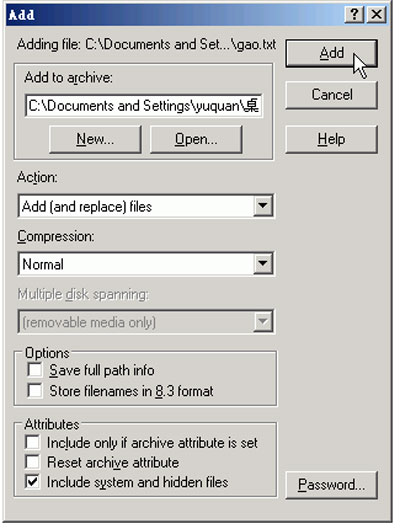
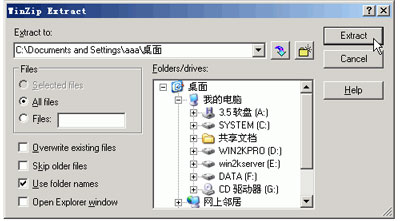
- 快速解壓:右鍵 .zip →「WinZip」→「Extract to folder」→ 選目標資料夾 →「Extract」。任務列 Zip 圖示右鍵亦可快速解壓近期檔案。
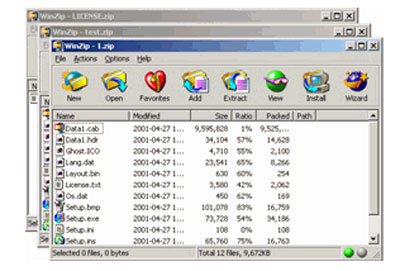
- 同時檢視多個壓縮包:Ctrl 多選 .zip → 右鍵「Open with WinZip」→ 開啟多視窗檢視內容(未解壓)。
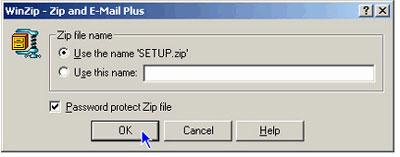
- 加密郵寄:右鍵檔案 →「WinZip」→「Zip and E-Mail Plus」→ 勾選「Password protect Zip file」→ 輸入雙次密碼確認。
- 分割大檔案:雙擊開啟 .zip → 選單「Actions」→「Split」→ 設定分割大小與檔名 →「OK」。
右鍵整合讓 WinZip 操作無縫融入 Windows 工作流。