Windows XP Windows 7 Windows 2003 Windows Vista Windows 綜合教學 Linux 系統教學
Windows 10 Windows 8 Windows 2008 Windows NT Windows Server 電腦軟體教學
您现在的位置: Windows教程網 >> Windows教程 >  >> 電腦軟體教學 >> 電腦軟體介紹

iTunes 12.1.0 更新後無法連接 iTools 解決方案:正確卸載順序、安裝舊版組件

編輯:電腦軟體介紹

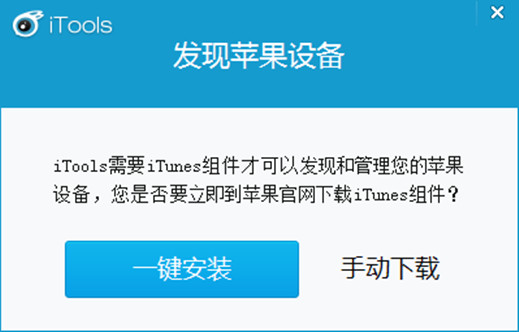
iTunes 12.1.0 大幅變動導致 iTools 無法識別 iOS 裝置。解決:按順序完整卸載 iTunes 及六大組件(iTunes → Apple Software Update → Bonjour → Apple Mobile Device Support → Apple Application Support 32/64-bit)→ 重開機 → 開啟 iTools 連接裝置 → 提示安裝組件點「一鍵安裝」自動下載舊版相容組件 → 啟動 iTools 正常連接。
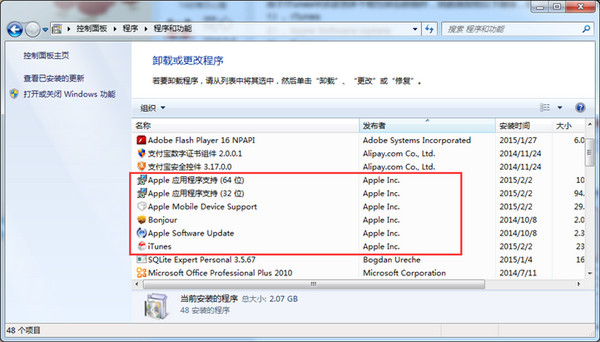
  1. 控制台依序卸載六組件。
    卸載順序
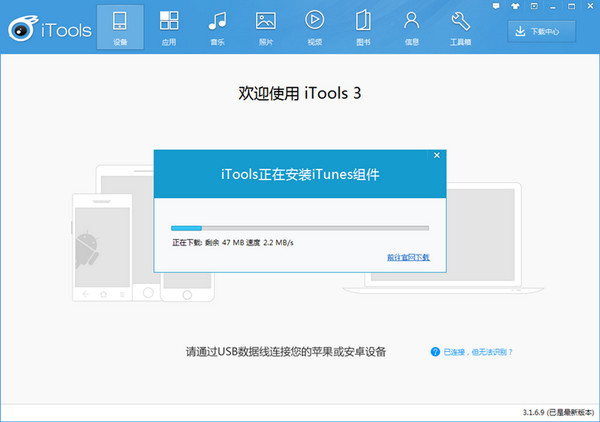
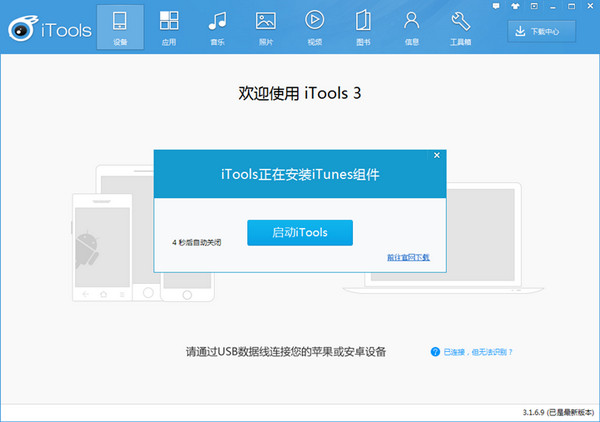
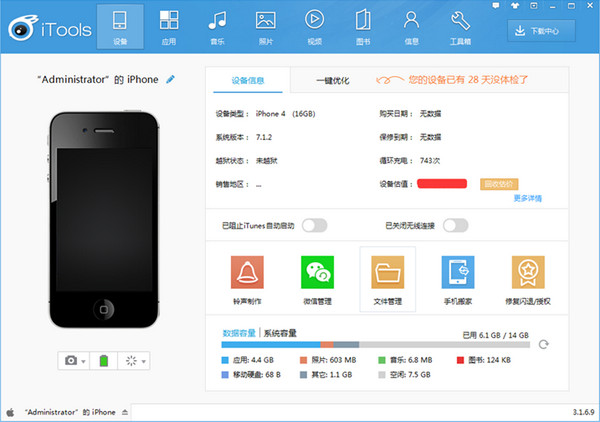
  2. iTools 連接裝置 → 「一鍵安裝」舊版組件。
    一鍵安裝1
    一鍵安裝2
    一鍵安裝3
    一鍵安裝4

版本衝突完美化解,iTools 恢復正常!

Copyright © Windows教程網 All Rights Reserved