Windows XP Windows 7 Windows 2003 Windows Vista Windows 綜合教學 Linux 系統教學
Windows 10 Windows 8 Windows 2008 Windows NT Windows Server 電腦軟體教學
您现在的位置: Windows教程網 >> Windows教程 >  >> 電腦軟體教學 >> 電腦軟體介紹

狸窩 DVD 燒錄 MP3 成音樂光碟:兩階段轉檔燒錄完整流程

編輯:電腦軟體介紹

MP3 無法直接燒錄為 DVD 音樂碟,需先轉 VOB 格式:

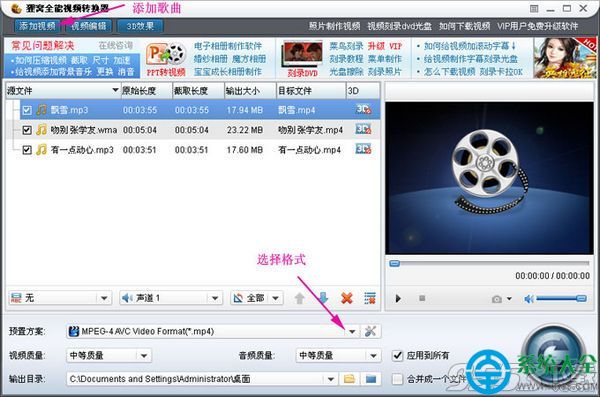
階段一:MP3 轉 VOB 視頻格式

  1. 狸窩全能視頻轉換器 → 「新增視頻」匯入 MP3。
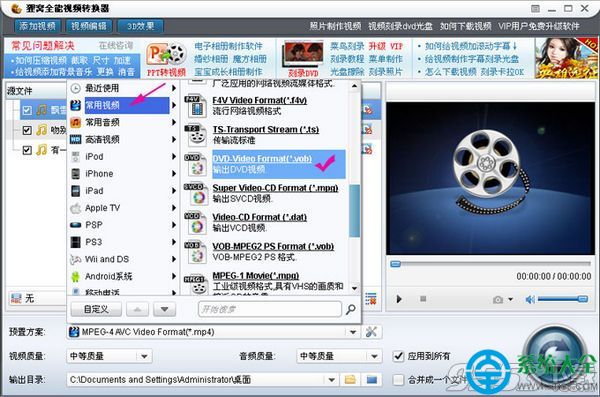
  2. 「預設方案」→「常用視頻」→「DVD-Video Format (*.vob)」。
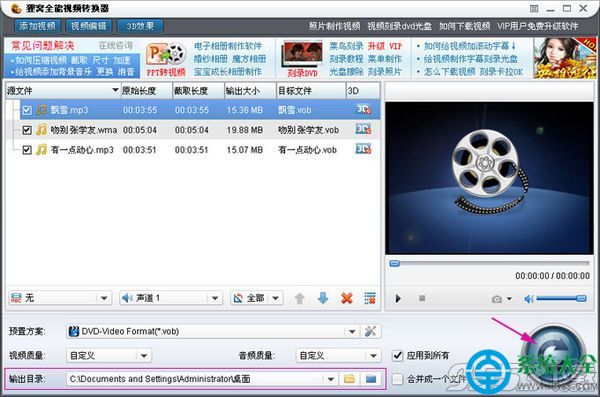
  3. 設定儲存路徑 → 點擊「燒錄」圖示完成轉檔。

階段二:VOB 燒錄成 DVD 光碟

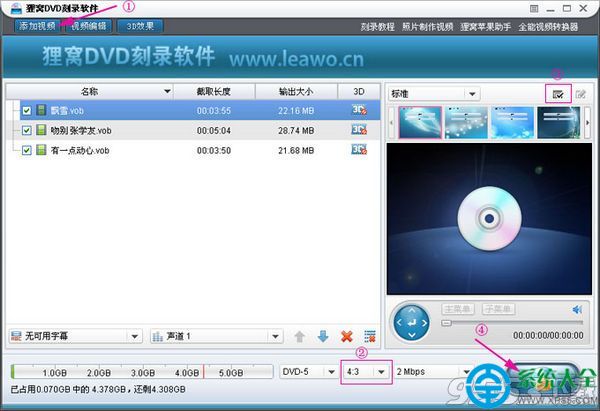
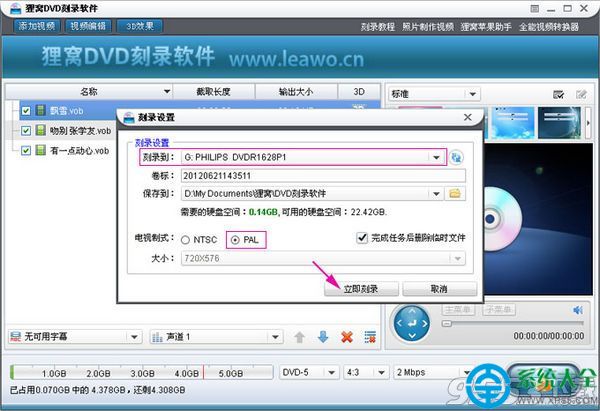
  1. 狸窩 DVD 燒錄軟體 → 「新增視頻」匯入 VOB 檔。
  2. 「燒錄」→ 確認輸出路徑 → 選擇「PAL 電視製式」→「立即燒錄」。
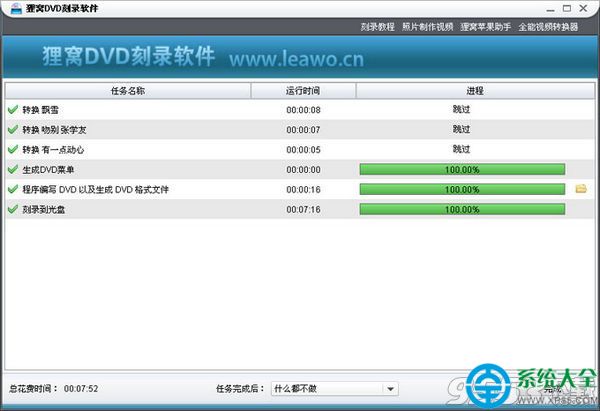
  3. 稍待完成,即得專屬音樂 DVD。
MP3轉VOB格式
選擇DVD-Video格式
MP3轉檔燒錄
匯入VOB檔案
燒錄設定PAL製式
完成燒錄光碟

預設標準:PAL、4:3 比例。自製音樂車載碟、禮物碟超有心意。

Copyright © Windows教程網 All Rights Reserved