誤觸 Insert 鍵 進入「改寫模式」,導致打字吞後字,兩法秒回插入模式:
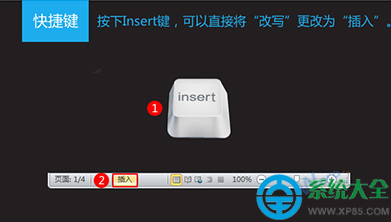
方法一:快捷鍵(最快)
- 光標在文檔任意處 → 按鍵盤右側 Ins / Insert 鍵 切換模式。
方法二:狀態欄(可視化)
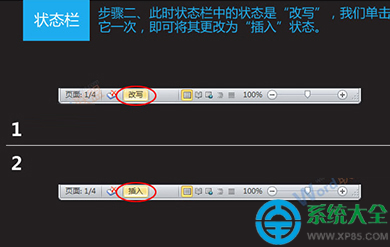
1. 右鍵狀態欄空白處 → 勾選 改寫(顯示當前模式)。
2. 點擊狀態欄「改寫」文字 → 切為 插入。
原理
Word 兩種輸入模式:插入(默認,字符後移)/ 改寫(覆蓋光標後字符)。Ins 鍵為雙向切換鍵,狀態欄提供可視入口。
避誤觸技巧
- 鍵盤映射工具(SharpKeys/AutoHotKey)將 Ins 映射為無操作/其他鍵。
- 習慣觀察狀態欄模式指示,異常即切回。
一鍵/一點,告別「打字吃字」尷尬。