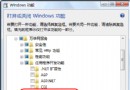
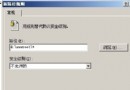
user@site.domain.com)。nslookup -type=mx domain.com 查詢 MX 記錄)。set local_echo (XP 用 set localecho)。> telnet mail.contoso.com 25
220 site.contoso.com Microsoft Exchange Internet Mail Connector <版本>
> EHLO test.com
250 OK
> MAIL FROM:Admin@test.com
250 OK - MAIL FROM Admin@test.com
> RCPT TO:User@Domain.Com
250 OK - Recipient User@Domain.Com
> DATA
354 Send data. End with CRLF.CRLF
> Subject: test message
>
> This is a test message
> .
250 OK
> QUIT
221 closing connection| 指令 | 用途 | 注意事項 |
|---|---|---|
| EHLO / HELO | 初始化會話,宣告發件域 | EHLO 支援擴展 SMTP (ESMTP),優先使用 |
| MAIL FROM | 指定寄件者 | 建議使用有效地址,否則無法收到退信通知 (NDR) |
| RCPT TO | 指定收件者 | 需為目標域實際存在的帳號,否則產生 NDR |
| DATA | 開始輸入郵件內容 | 以單獨一行 . 結束 |
| Subject: | 郵件主旨 | 後需空一行 (RFC 822/2822 規範) |
| QUIT | 結束會話 |
在 RCPT TO 階段加入參數:
RCPT TO:User@Site.Domain.Com notify=success,failure可驗證伺服器出站傳遞能力:若收件者收到郵件並回傳 DSN,代表雙向通訊正常。
500 Command not recognized:指令拼寫錯誤或非 Microsoft SMTP 伺服器。421 Service not available:服務未啟動或連線數達上限。550 Relay access denied:開放轉發被拒,需驗證或加入允許清單。451 Requested action aborted:本地處理錯誤 (如磁碟滿、權限問題)。Windows Server 2008 R2 運維寶典:26 個高頻問題一網打盡
Linux 環境源碼編譯安裝 MySQL 5.1 及 PHP 中文亂碼完美解決方案
Windows 伺服器 SNMP 服務無人值守部署指南:使用 INF 回應檔自動化配置
Nginx 快取機制五大方案深度解析:從傳統 proxy_store 到 proxy_cache 與 Memcached 整合
Windows Server 2003 取消遠程桌面自動鎖屏:關閉屏保一鍵解決
Linux 伺服器 Gzip 檔案壓縮完全指南:mod_gzip 與 mod_deflate 選型、配置與效能權衡
解決 IIS 7/7.5 ASP 網頁顯示「An error occurred on the server when processing the URL」通用錯誤頁面