PHP 在 IIS 上有三種執行模式:
php-7.4.33-nts-Win32-VC15-x64.msi)。C:\PHP (避免空格、中文)。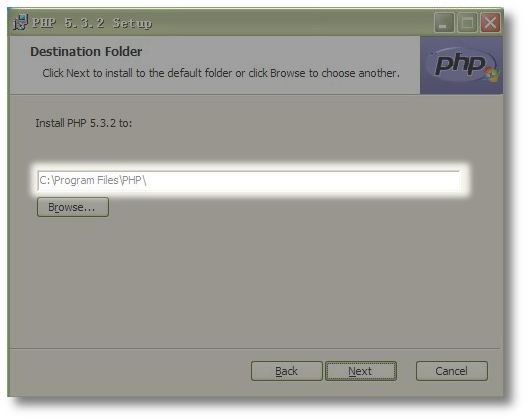
PHP 安裝路徑建議 C:\PHP
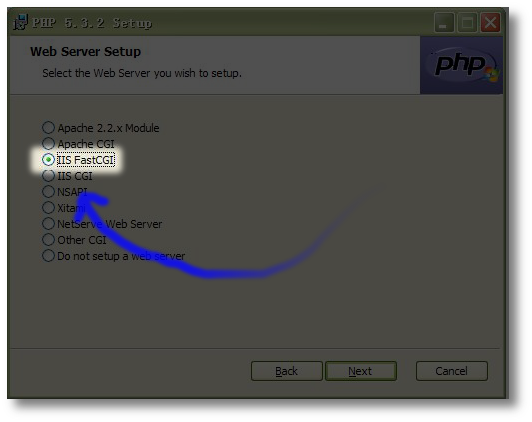
元件選擇:必須勾選 IIS FastCGI
cd C:\Windows\System32\inetsrvappcmd set config /section:system.webServer/fastCgi /+[fullPath='C:\PHP\php-cgi.exe',instanceMaxRequests='10000',environmentVariables.[name='PHP_FCGI_MAX_REQUESTS',value='10000']] /commit:apphostappcmd set config /section:system.webServer/handlers /+[name='PHP_FastCGI',path='*.php',verb='*',modules='FastCgiModule',scriptProcessor='C:\PHP\php-cgi.exe',resourceType='Either'] /commit:apphost說明: 上述指令相當於舊版 fcgiconfig.js 方式,但使用 IIS 7+ 原生 appcmd 寫入 applicationHost.config,更標準、可攜、支援多網站獨立配置。
info.php:<?php phpinfo(); ?>https://localhost/info.php,顯示 PHP 版本資訊、Server API: CGI/FastCGI 即成功。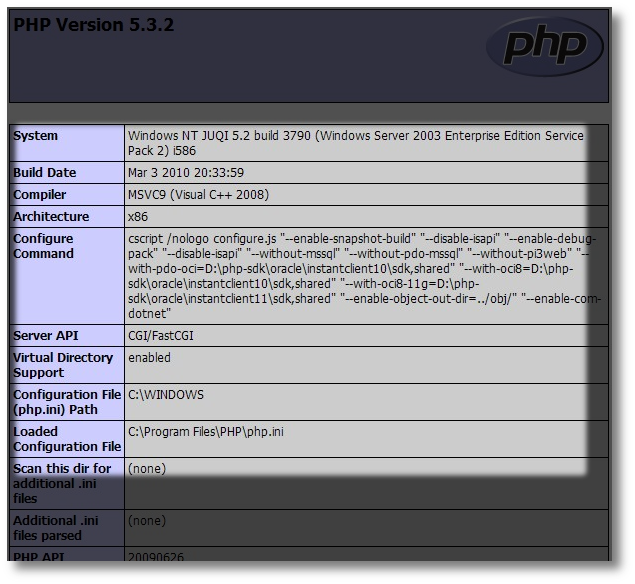
phpinfo() 確認 Server API = CGI/FastCGI
編輯 C:\PHP\php.ini,搜尋 date.timezone,設定:
date.timezone = Asia/Taipei重啟 IIS (iisreset) 生效。
確認網站實體目錄授予 IIS_IUSRS (或應用程式集區身分識別) 「讀取與執行」權限。
檢查 php.ini 中 extension_dir = "ext" 路徑正確,所需 .dll 存在於 C:\PHP\ext\,並取消註解 extension=xxx。
| 參數 | 建議值 | 位置 |
|---|---|---|
| instanceMaxRequests | 10000 | FastCGI 應用程式 (applicationHost.config) |
| activityTimeout | 300 | FastCGI 應用程式 |
| requestTimeout | 90 | FastCGI 應用程式 |
| memory_limit | 256M | php.ini |
| max_execution_time | 60 | php.ini |
| opcache.enable | 1 | php.ini (生產環境必開) |
| opcache.memory_consumption | 128 | php.ini |