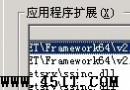
.shtml → **MIME 類型**:text/html.shtm → **MIME 類型**:text/htmliisreset /restart) → 必須執行,否則不生效C:\WINNT\system32\inetsrv\ssinc.dll.shtml (再加一次 .shtm).shtml/.shtm = text/html⚠ 核心概念:IIS 定義中
.shtml屬於 **SSI 元件**,必須同時完成 **MIME 類型註冊** + **應用程式對應/擴展啟用** 雙重設定,單一設定均不生效。
| 副檔名 | MIME 類型 | 說明 |
|---|---|---|
| .html / .htm / .shtml / .shtm | text/html | HTML 文件 |
| .css | text/css | 樣式表 |
| .js | application/javascript | JavaScript (標準) |
| .json | application/json | JSON 資料 |
| .xml | application/xml | XML 文件 |
| .txt | text/plain | 純文字 |
| application/pdf | PDF 文件 | |
| .zip | application/zip | ZIP 壓縮包 |
| .rar | application/x-rar-compressed | RAR 壓縮包 |
| .jpg / .jpeg / .jpe | image/jpeg | JPEG 圖片 |
| .png | image/png | PNG 圖片 |
| .gif | image/gif | GIF 圖片 |
| .svg | image/svg+xml | 向量圖形 |
| .ico | image/x-icon | 網站圖示 |
| .mp4 | video/mp4 | MP4 影片 |
| .webm | video/webm | WebM 影片 |
| .mp3 | audio/mpeg | MP3 音訊 |
| .wav | audio/wav | WAV 音訊 |
| .woff / .woff2 | font/woff / font/woff2 | Web 字體 |
| .ttf / .otf | font/ttf / font/otf | TrueType/OpenType 字體 |
| .apk | application/vnd.android.package-archive | Android 安裝包 |
| .ipa | application/vnd.iphone | iOS 安裝包 |
| .doc / .docx | application/msword / application/vnd.openxmlformats-officedocument.wordprocessingml.document | Word 文件 |
| .xls / .xlsx | application/vnd.ms-excel / application/vnd.openxmlformats-officedocument.spreadsheetml.sheet | Excel 文件 |
| .ppt / .pptx | application/vnd.ms-powerpoint / application/vnd.openxmlformats-officedocument.presentationml.presentation | PowerPoint 文件 |
| IIS 版本 | 管理路徑 | 備註 |
|---|---|---|
| IIS 6.0 (WS2003) | 本地電腦 → 內容 → MIME 類型 | 全域設定,影響所有網站 |
| IIS 7.0+ (WS2008+) | 網站 → 功能視圖 → MIME 類型 | 可網站層級覆寫,繼承全域 |
| IIS 7.0+ 命令列 | appcmd set config /section:staticContent /+[fileExtension='.xyz',mimeType='application/xyz'] | 適合腳本自動化部署 |
.xyz,非 xyz)Content-Type 回應標頭正確.asp、.aspx、.php、.exe、.dll 等執行類 MIME/處理器對應Handler Mappings 僅允許 StaticFileweb.config <system.webServer><handlers><clear /><add name="StaticFile" ...> 鎖定MIME 管理鐵律:預設拒絕、顯式允許。僅為確確實實需要的檔案類型註冊 MIME,未註冊的副檔名 IIS 會回傳 404.3 (未註冊的 MIME),這正是安全防護的一環。定期審核 MIME 列表,移除棄用/實驗性類型。